Assigning an Alternative Grade
Scenario:
How do I give an alternative grade to a student?
Solution:
Follow steps below.
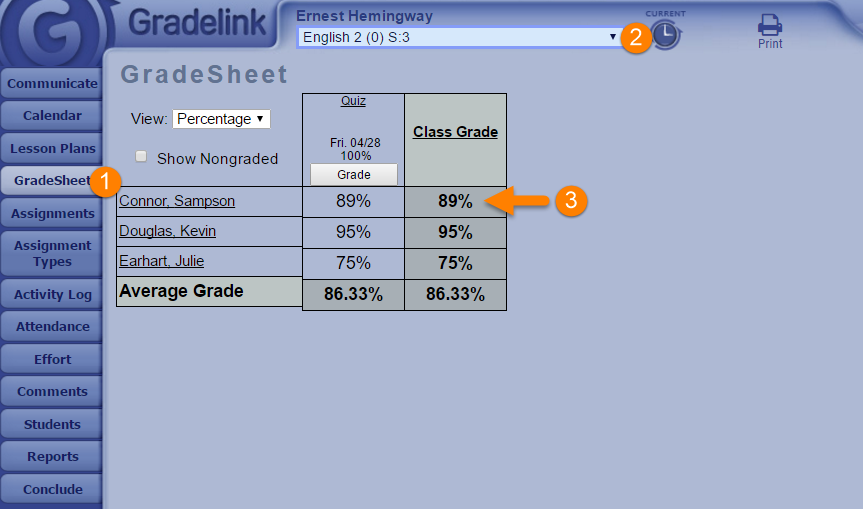
1. Click on gradesheet.
2. Select the class the student is in.
3. Under class grade click on the students percentage number.
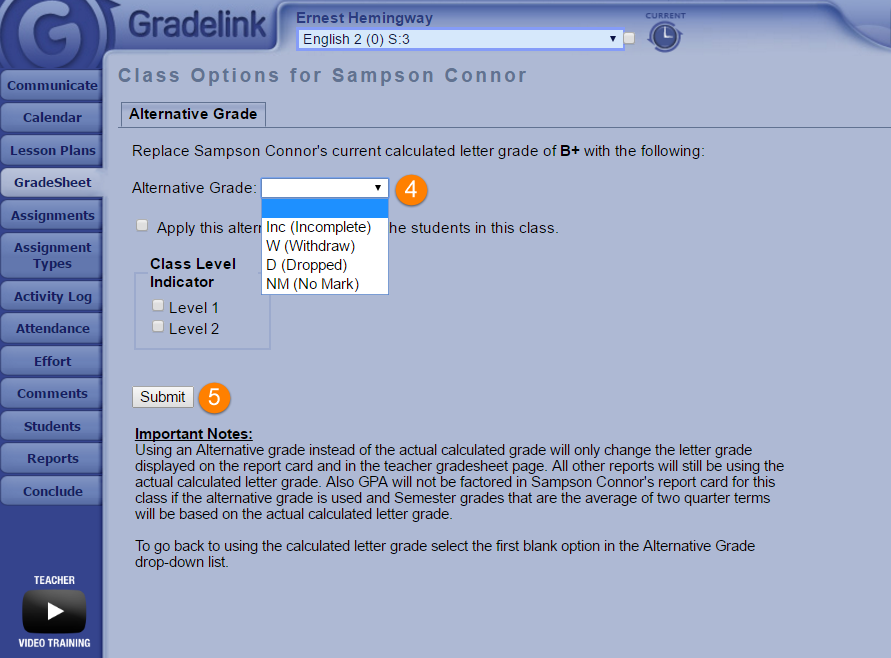
4. Click on the alternative grade box and make the appropriate selection.
5. Click on submit.