
Changing the Current Enrollment Session
When the time comes to begin enrolling students for the upcoming academic year, you will need to change the current Enrollment Session. To change the current session:
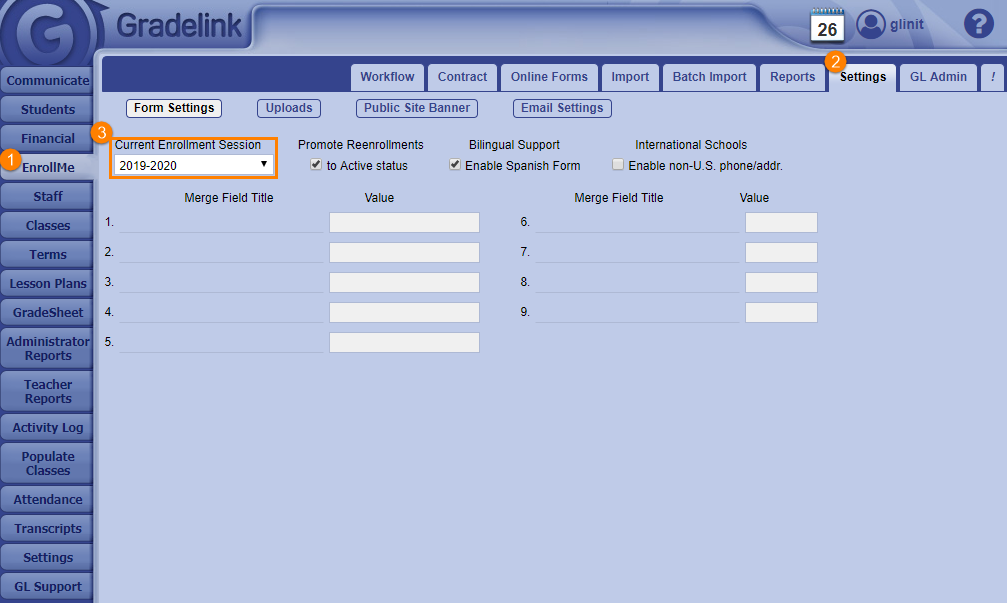
1. Click on the EnrollMe tab on the left sidebar.
2. Click on the Settings sub-tab at the top of the page.
3. Select the session from the Current Enrollment Session drop-down menu. The session change will change automatically.
Note: If the session does not appear in the Current Enrollment Session drop down menu, you will need to create a new session.