Creating a New Enrollment Session
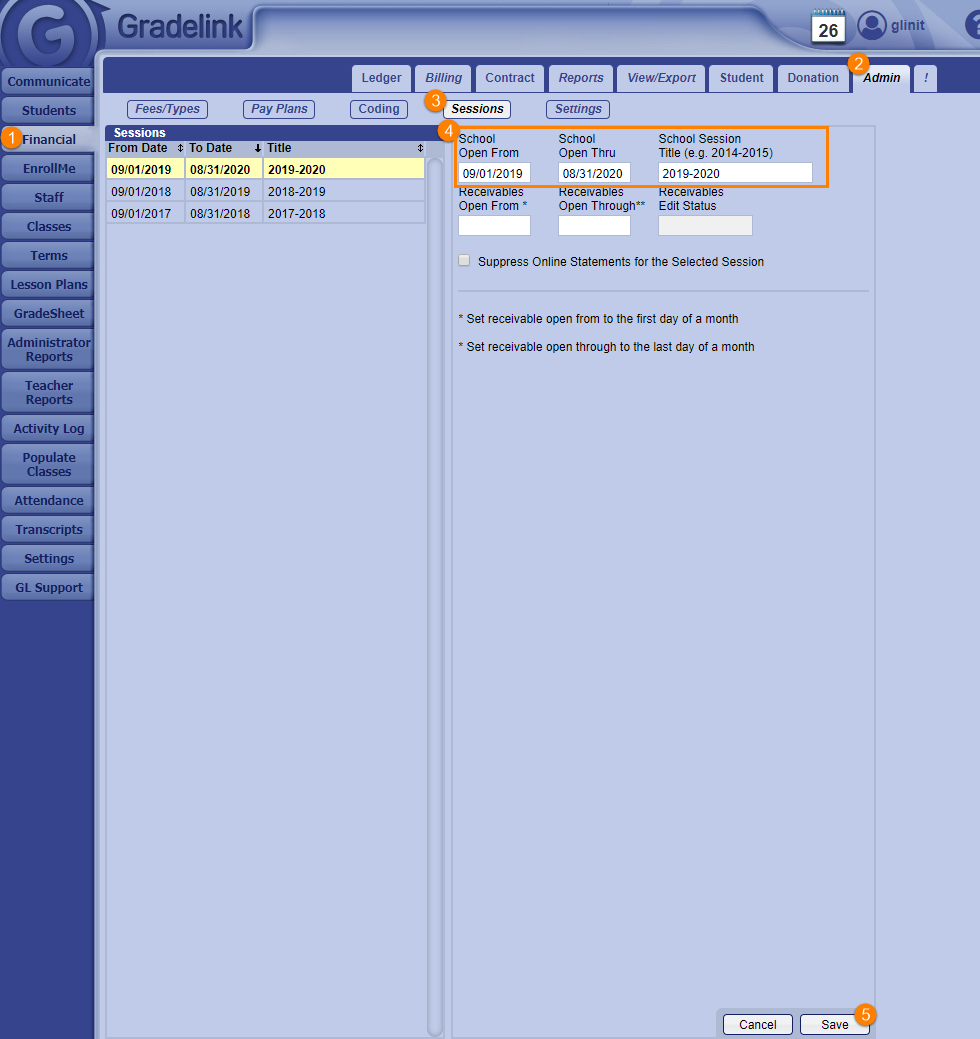
Each academic year requires its own enrollment session. To create a new enrollment session:
Click the Financial tab on the left sidebar.
- Click the Admin sub-tab at the top of the page.
- Click the Sessions button below the sub-tabs at the top of the page.
- Enter in the School Open From date, School Open Thru date, and School Session Title.
- Click Save at the bottom right corner of the page.