
Creating Exam Terms
Scenario:
1. How do I add an exam term?
2. How do I create an exam term?
3. How do I set up exam terms?
Solution:
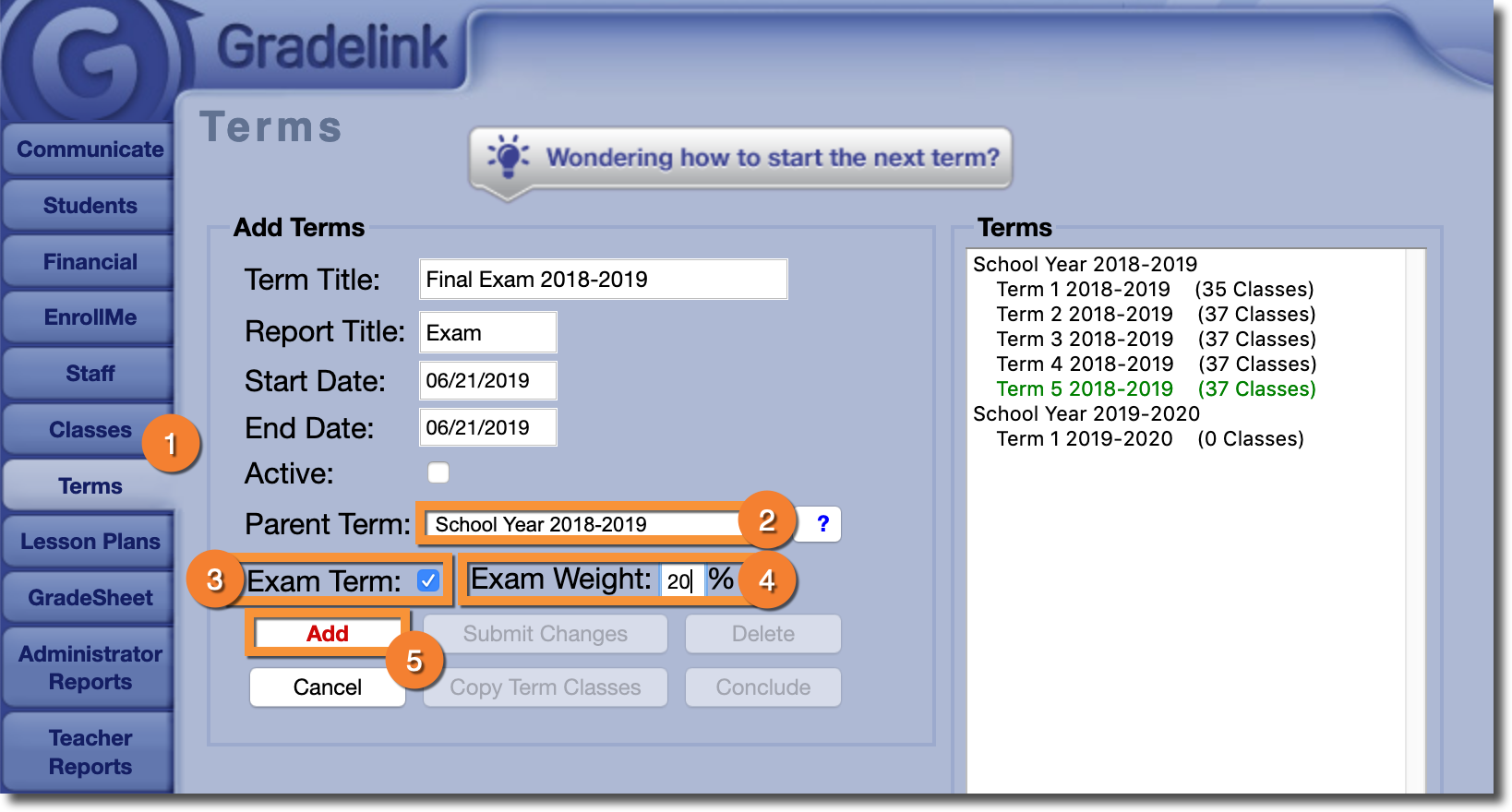
Administrators can create an Exam Term in the Terms tab.
- Go to the Terms tab and start creating a term like you normally would
-
In the Parent Term drop-down menu, select the appropriate parent term. Exam Terms must have a parent term assigned to them.
-
Check the box labeled Exam Term
-
I n the field labeled Exam Weight, enter the weight you would like the Exam Term to contribute to the overall grade
-
Click the Add button
Exam TermExam Weight
Add
To finish setting up your Exam Term, you'll need to either copy classes from an existing term or create new classes. For more information, please click here.