Deleting An Application
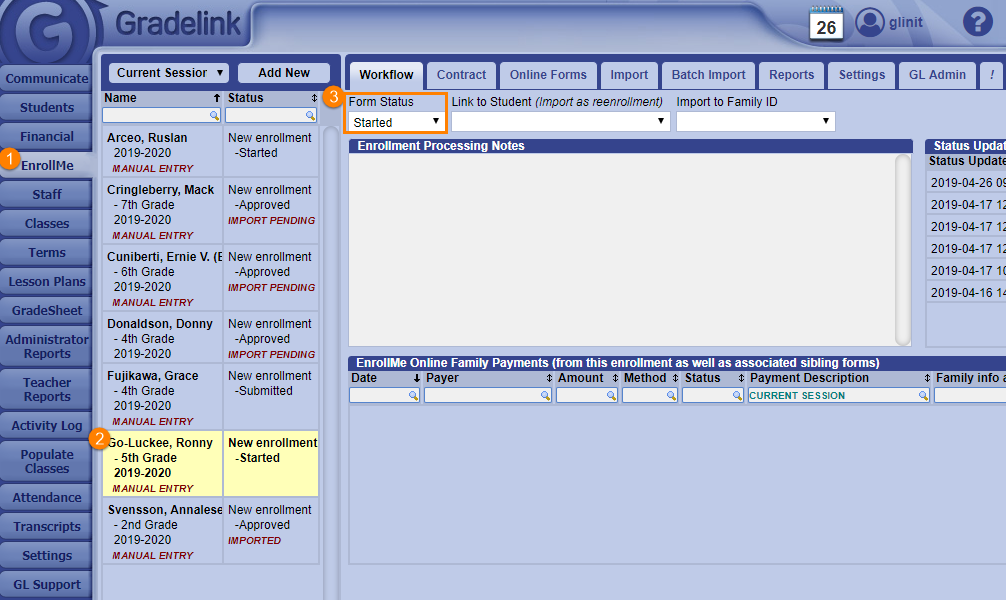
- Click on the EnrollMe tab on the left sidebar.
- Select the student application that you want to delete (a selected application will be highlighted in yellow).
- Change the Form Status to Started under the Workflow sub-tab.
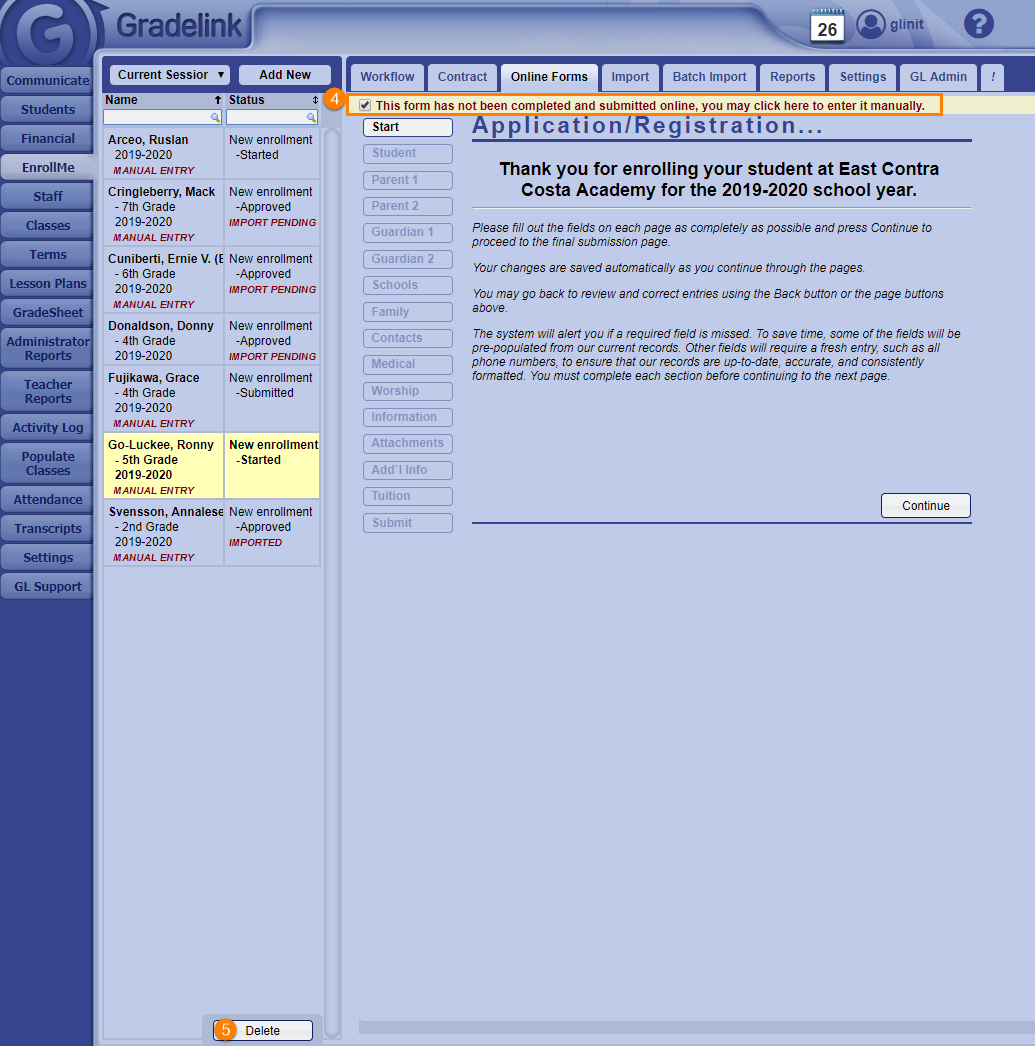
- Click the Online Forms sub-tab and check the box labeled This form has not been completed and submitted online, you may click here to enter it manually.
- Click the Delete button at the bottom of the list of applications.