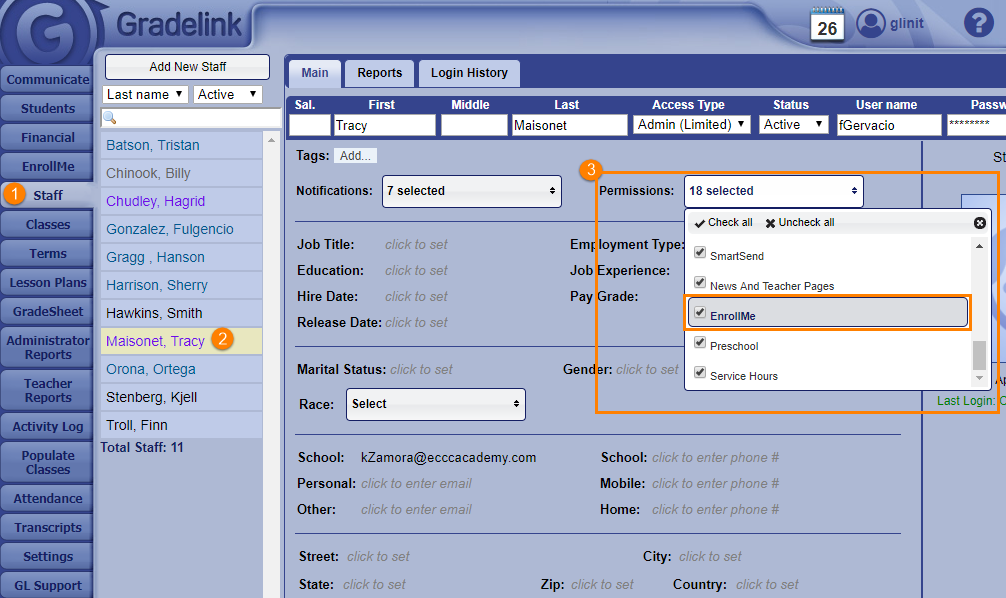
Granting EnrollMe Access to Limited Admins Granting EnrollMe Access to Limited Admins Click the Staff tab on the left sidebar. Select an Admin (Limited) staff member whose name appears in purple from the list of staff members. On the Permissions drop-down menu, select the checkbox labeled EnrollMe.