
How can I view published Report Cards?
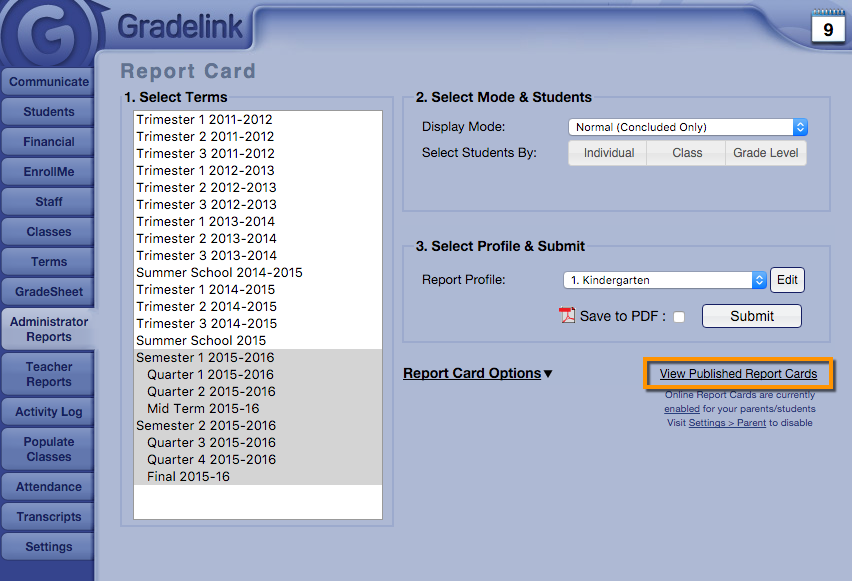
1. From the Report Card selection screen, click the “View Published Report Cards” button to see results.
2. Click the “View Published Report Cards” button to see a list of all students that currently have a report available for download. You can see which report cards are published online and who saw them last.
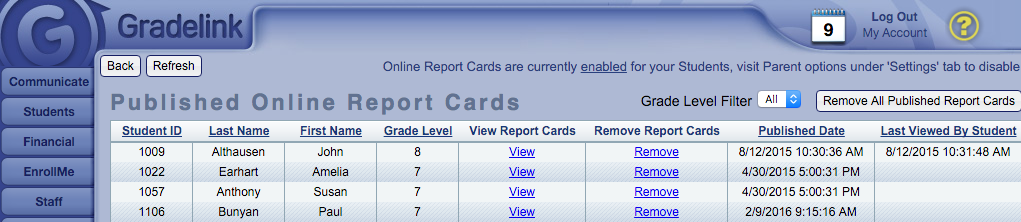
Administrators are able to view all published report cards and can delete or remove report cards as necessary. Teachers, on the other hand, are only able to view published report cards for students enrolled in their classes. They can find the Published Report Card button under the “Reports” tab at the bottom of the Class column buttons.