
How do I change the order in which Classes appear on the Report Card?
Scenario:
1. I need to change the order of classes on my report cards. How do I do this?
2. Is there a way I can change the order of the classes on the report card?
Solution:
When it comes to displaying Classes on the Report Card, Gradelink follows a simple hierarchy: Class Type is more important than Report Order, which is more important than Alphabetical order.
Class Type
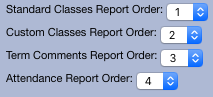
By default, all report cards display Classes in the following order:
- Standard Classes
- Custom Classes
- Term Comments Classes
- Attendance Classes
However, you can adjust this order by opening the Report Card Options menu that appears on the report card generation page. For more information, please click here .
Report Order
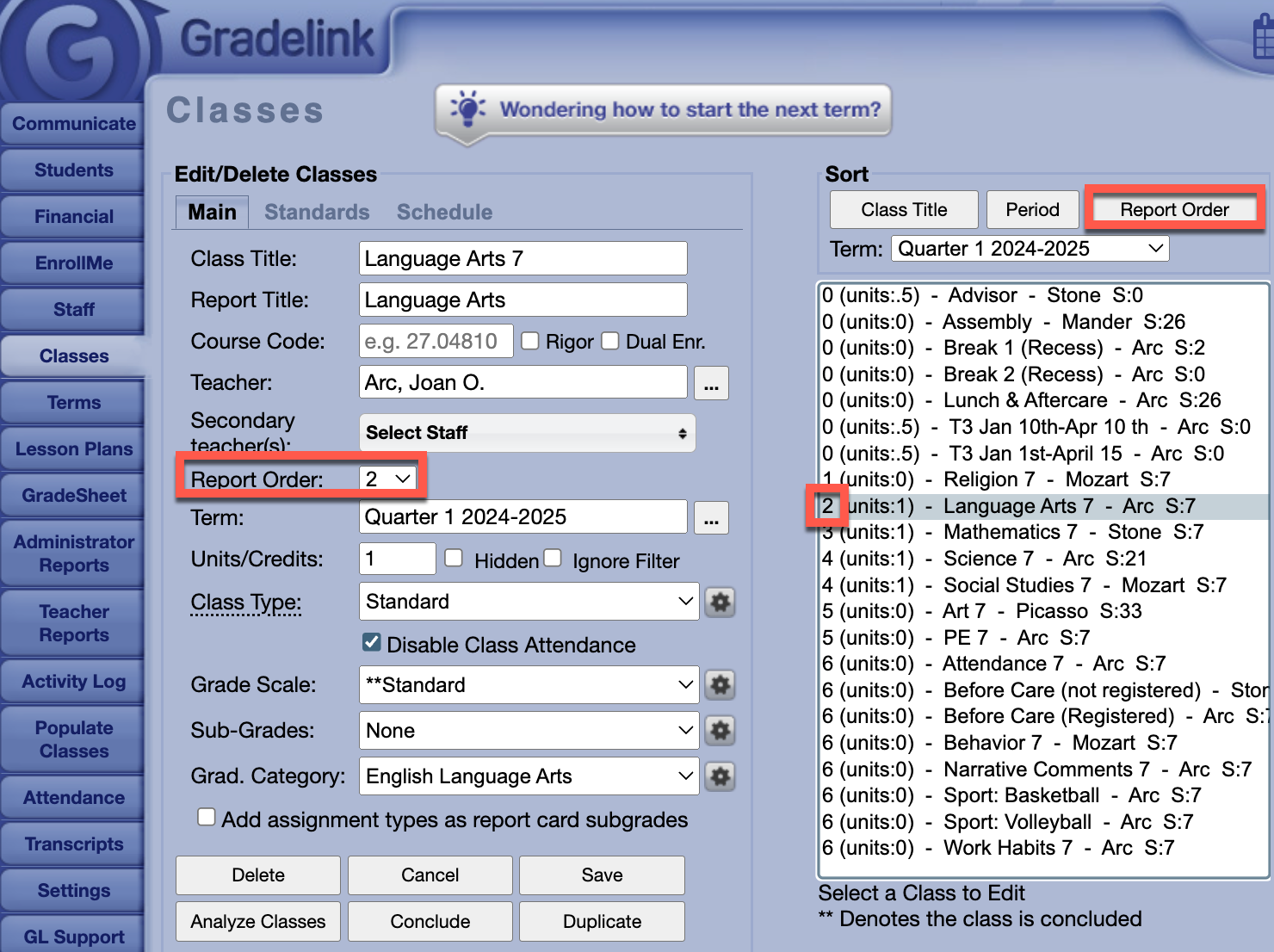
Report Order is assigned when Classes are first created and can be changed in the Classes tab. For more information about creating classes, please click here .
Alphabetical Order
If two or more classes with the same Class Type have the same Report Order, only then they will be displayed in Alphabetical order.