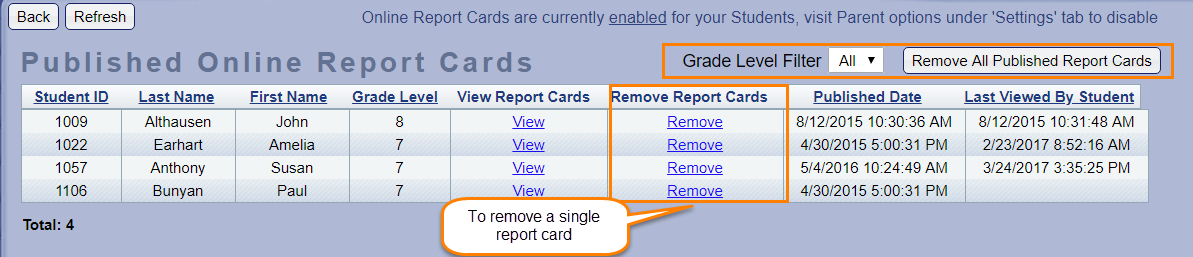
How do I remove a published Report Card?
Possible Scenario:
1. How do we remove a published report card?
2. We would like to make changes to a published report card, how can we remove it?
Solution:
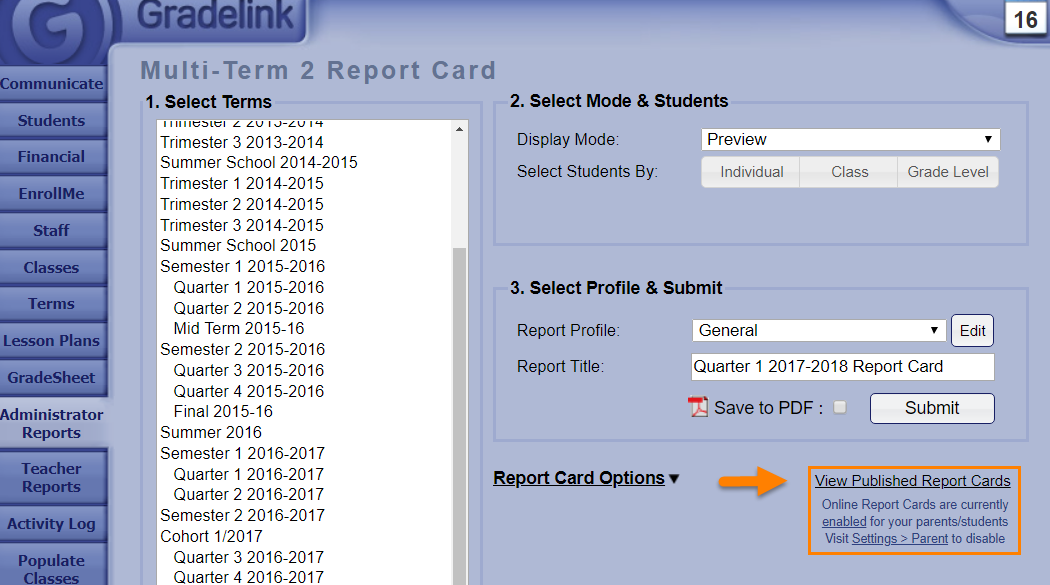
When you are on the report card generation page, click on View Published Report Cards.
On the 'Published Report Cards' page, you can either remove individual report cards by clicking the "Remove" buttons, or you can remove all published report cards at once by clicking the "Remove All Published Report Cards" button in the top right corner.