Re-Enrolling An Existing Student
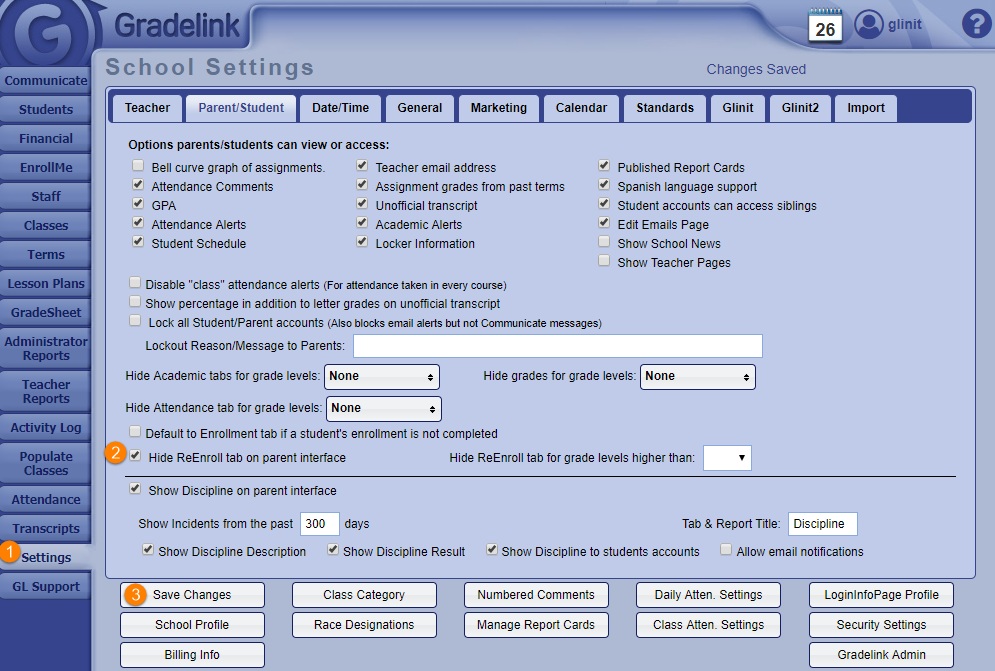
- Go to the Settings tab on the left sidebar.
- Uncheck the box Hide Re-Enroll tab on parent interface.
- Click the Save Changes button at the bottom of the page.
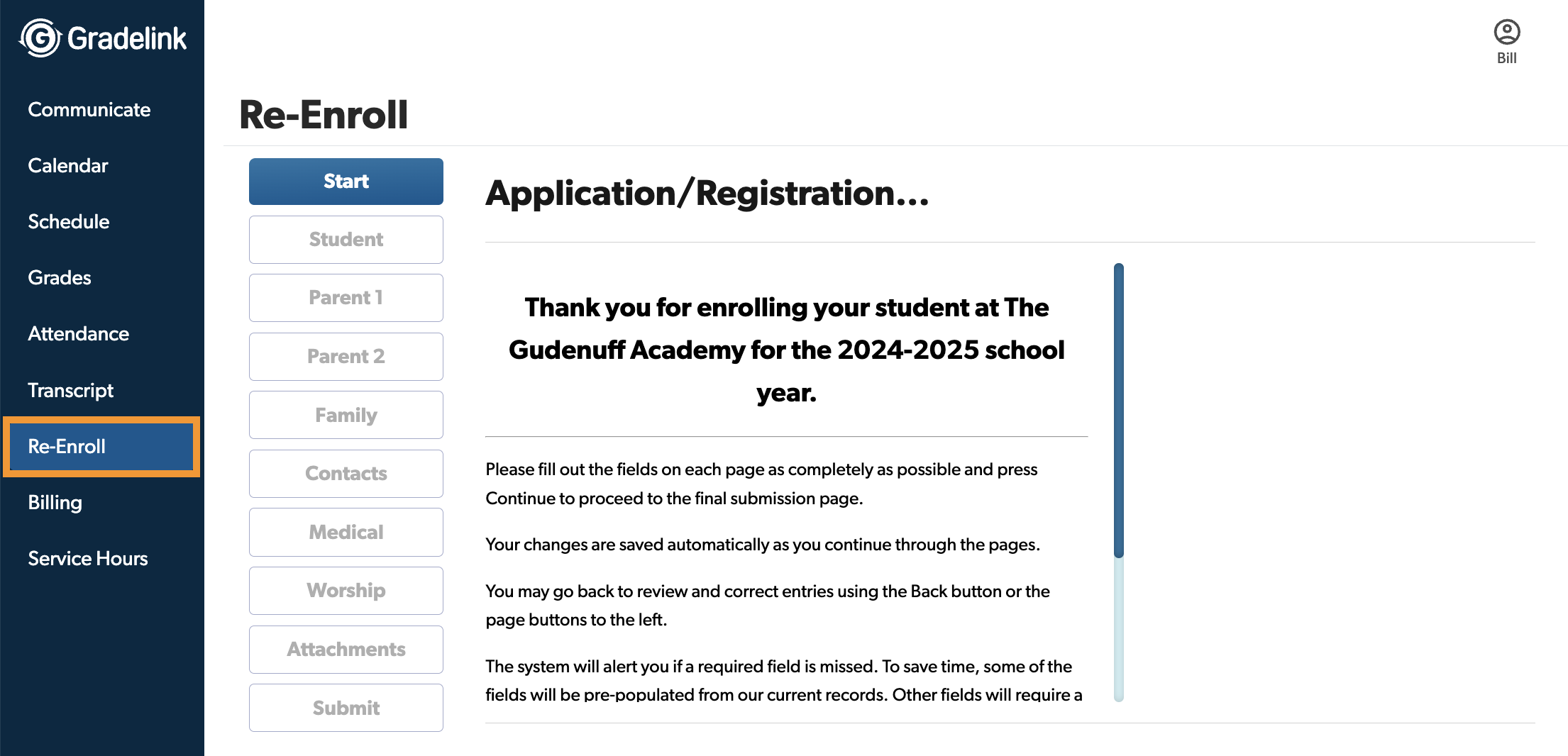
Existing families will see the Re-Enroll tab on the left sidebar in their Parent Portal when they log in. From there, they can begin the process of re-enrolling their student.