
Student Bus / Carpool Information
Gradelink makes it easy to record student bus routes and carpool information using the Documents page.
To get started:
- Go to the Students tab
- Select the student who you would like to record information for
- Click on Documents
- Check the box labeled Carpool
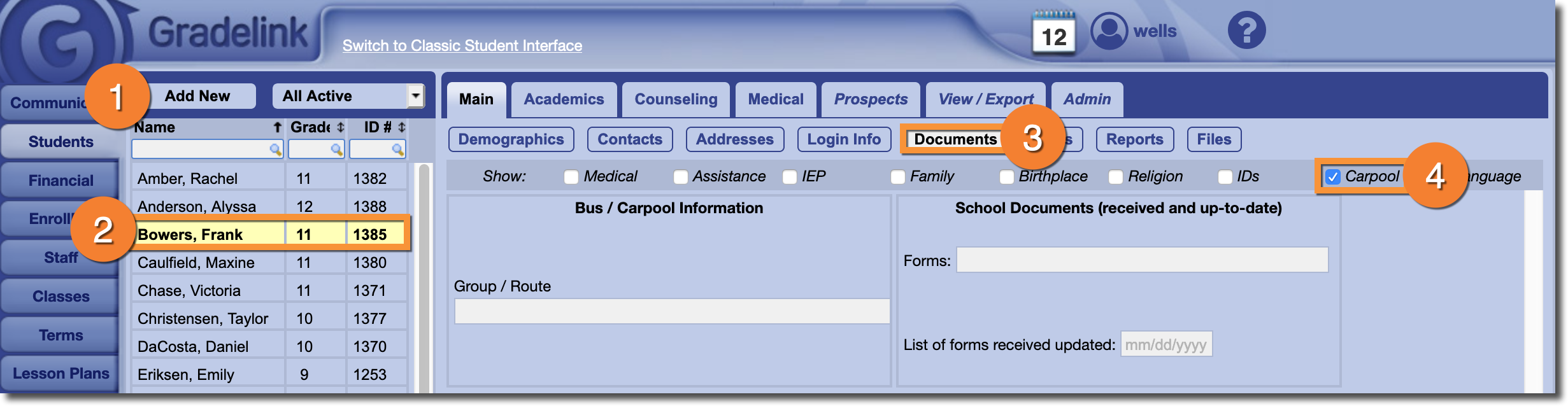
You can then record bus or carpool information using the Group / Route field. When you're done, don't forget to click Save at the bottom of the page.