Account Status
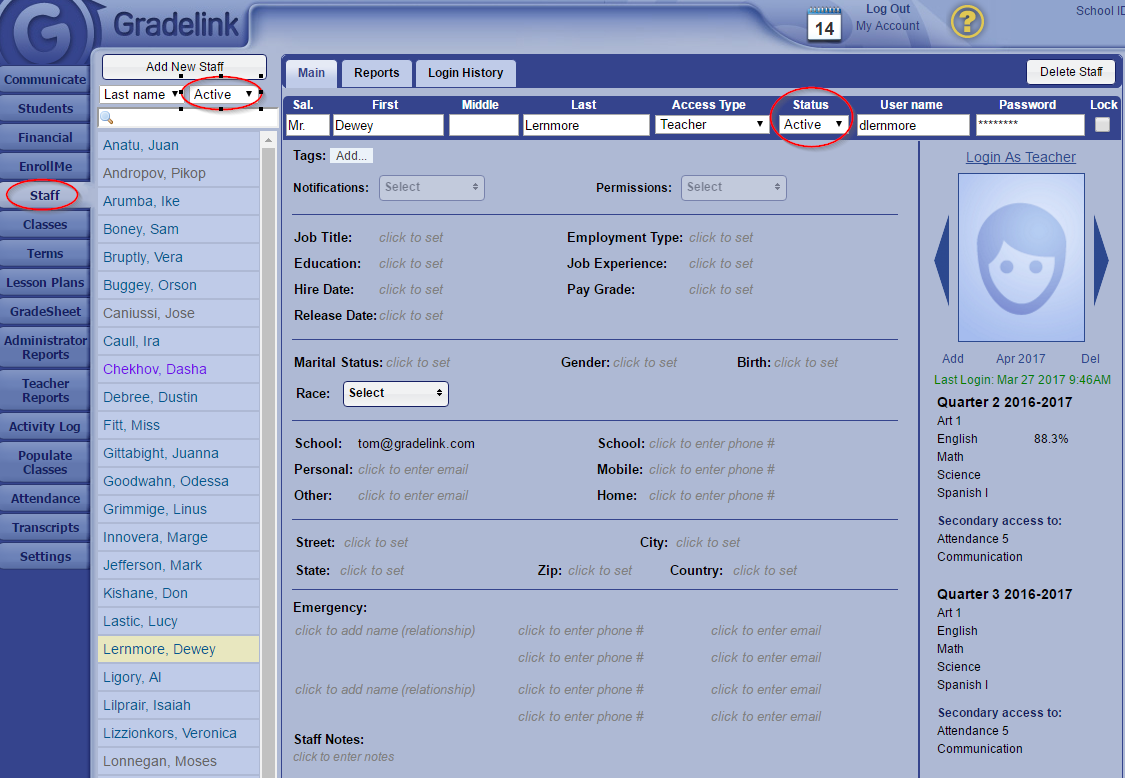
In Gradelink, all staff accounts are either "Active" or "Inactive". Users cannot login to Gradelink if their account is "Inactive", even if they are a Teacher and have classes assigned to their account.
To change the status of a staff member, first click on the Staff tab. Then, click on the name of a staff member and change their Status from Active to Inactive. Click anywhere on the Staff page and the change will be saved automatically.
You can view a list of inactive staff by changing the status indicator above the list of staff from Active to Inactive.