Adding a Class Curve
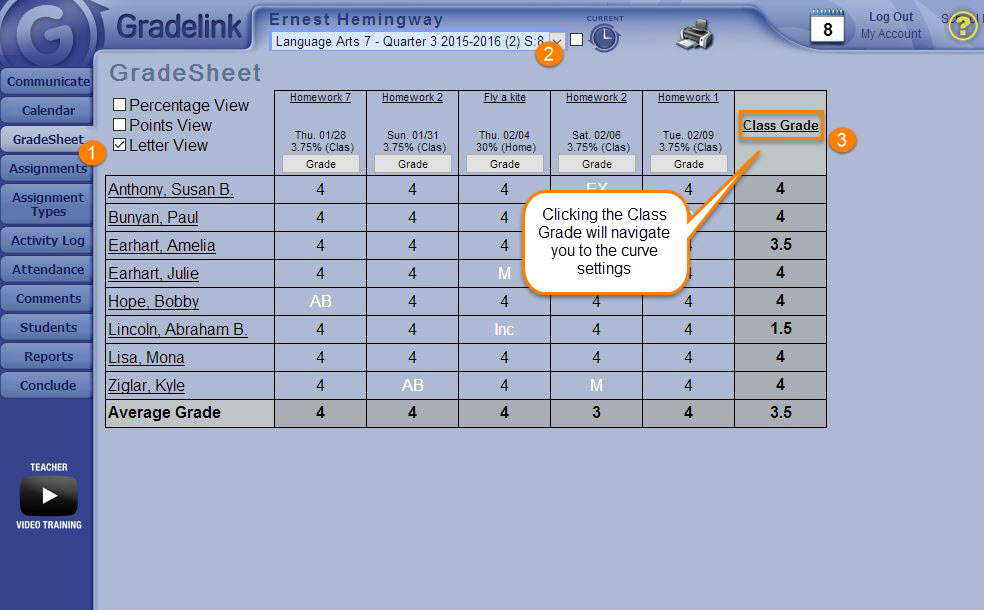
- As a Teacher, select the GradeSheet tab on the left side of the page.
- Select the desired class from the blue Classes drop-down menu at the top of the page.
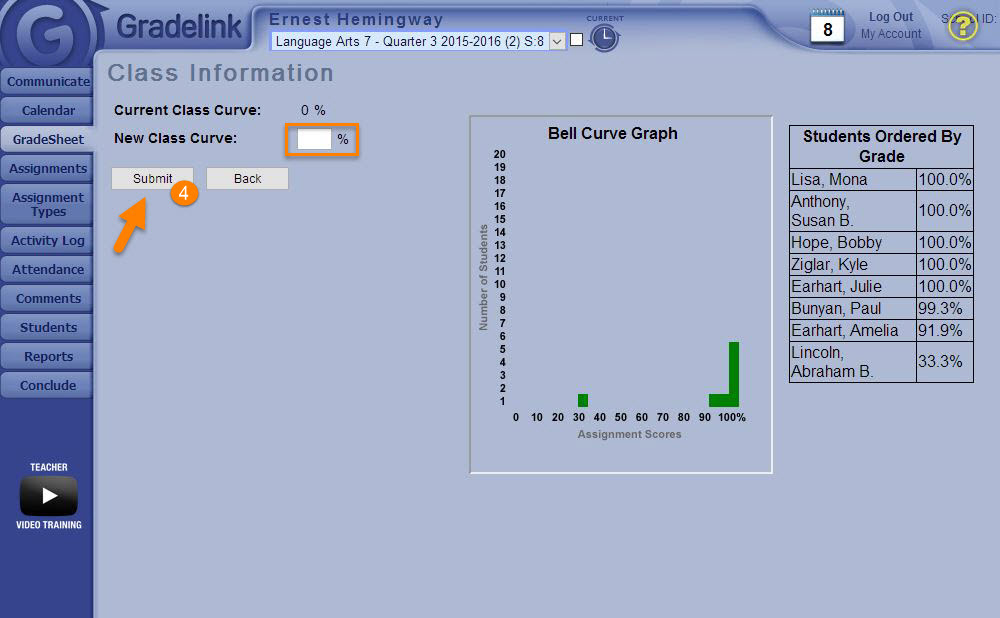
- Select the “Class Grade” title on the Gradesheet, and enter the desired class curve in the “New Class Curve” box.
- Click Submit.