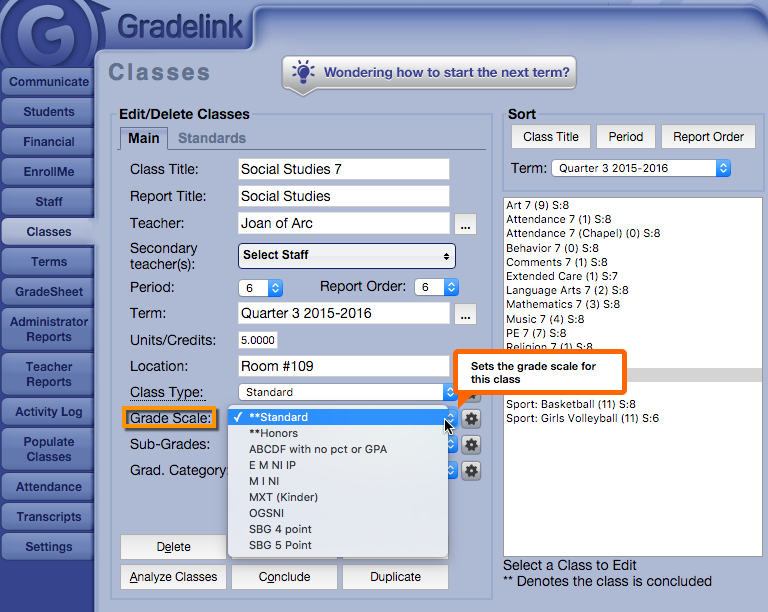
Applying a Grade Scale to a Class Applying a Grade Scale to a Class 1. Click the Classes tab on the left sidebar, and select the class to which the grade scale will be assigned.2. Click on the Grade Scale drop-down menu and select the desired Grade Scale.3. Click on the Submit Changes button.