Assigning Sub-Grades
1. Click the Classes tab on the left sidebar.
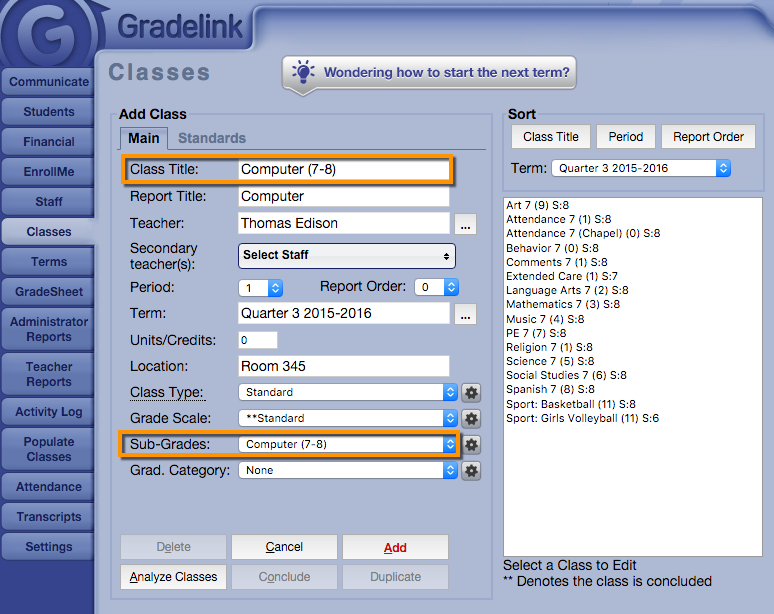
2. Navigate to the “Sub-Grades” drop-down menu and select the Sub-Grades you just set up.
3. Click Save. In addition to having the usual GradeSheet as any Standard Class would, Teachers will now see a new tab labeled “Sub-Grades” on the left sidebar when they log in to Gradelink. This page will display students’ final class grades in the class, as well as possess entries for all fields that were previously set up.