
Creating a New Student
Possible Scenario:
1. How do I add a new student?
2. How do I create a new student account?
Solution:
Creating a new Student in Gradelink is simple:
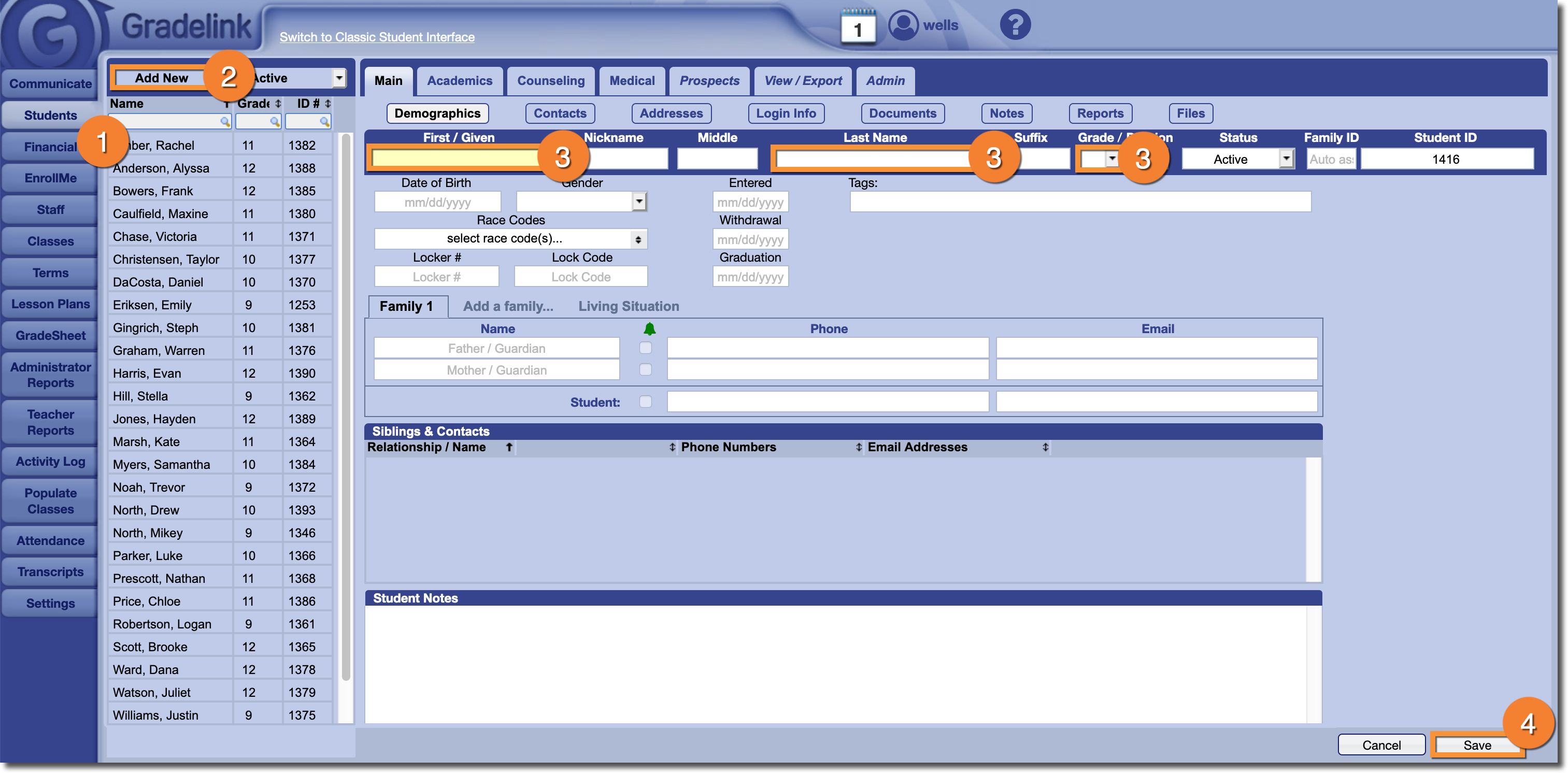
- Click the Students tab.
- Click the Add New button in the top left corner.
- Enter all required information:
- To create a new student, you must enter the Student’s First name, Last name and Grade level. Everything else is either optional or will be generated automatically.
- To create a new student, you must enter the Student’s First name, Last name and Grade level. Everything else is either optional or will be generated automatically.
- Click Save.
Note:School's that use EnrollMe will use a slightly different process to add students. This method can be used regardless of whether or not your school uses EnrollMe.