
Creating Lesson Plans
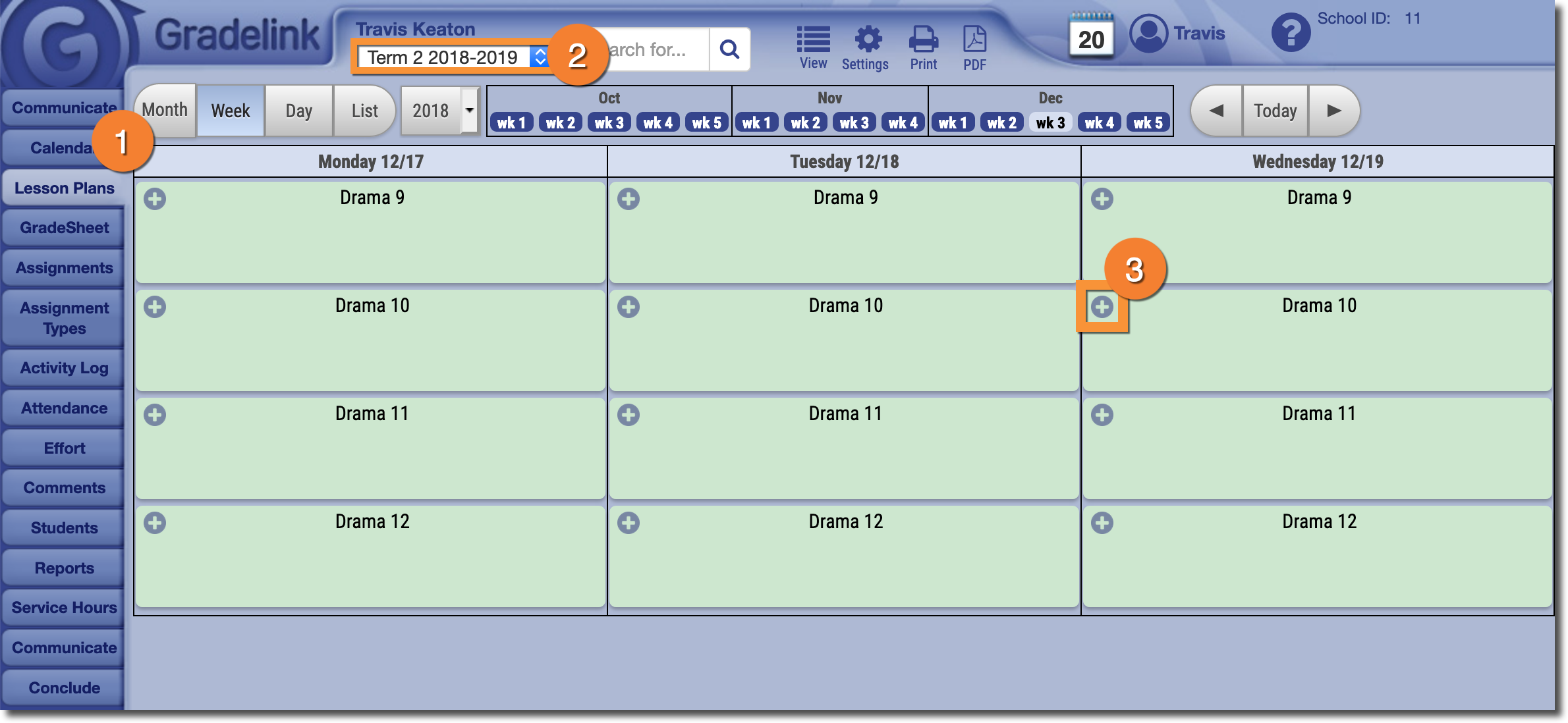
1. Select the Lesson Plans tab.
2. Make sure you are viewing the correct Term.
3. Click on the "+" icon for the appropriate class on the appropriate day.
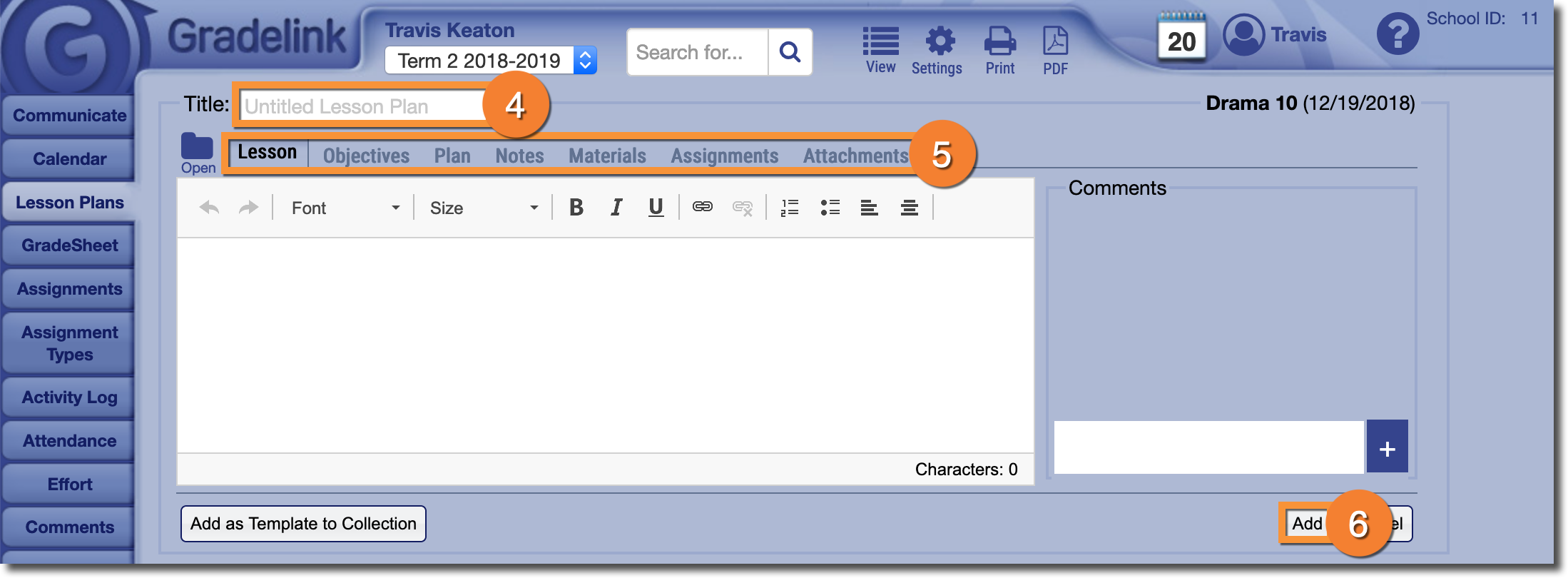
4. Add a Title to the Lesson Plan.
5. Add additional information using the customizable sub-tabs.
6. When you're all done, hit Add.
Note: Just because you have access to the Lesson Plans tab does not mean that you will be able to create lesson plans. For more information, please click here.