Deleting a Student
Generally speaking, Gradelink DOES NOT recommend deleting students. The reason Gradelink does not recommend deleting students is that once you delete a student, all data (grades, attendance, etc.) will be deleted for that student.
If a student no longer attends your school, Gradelink recommends that you mark them as Inactive or Alumni.
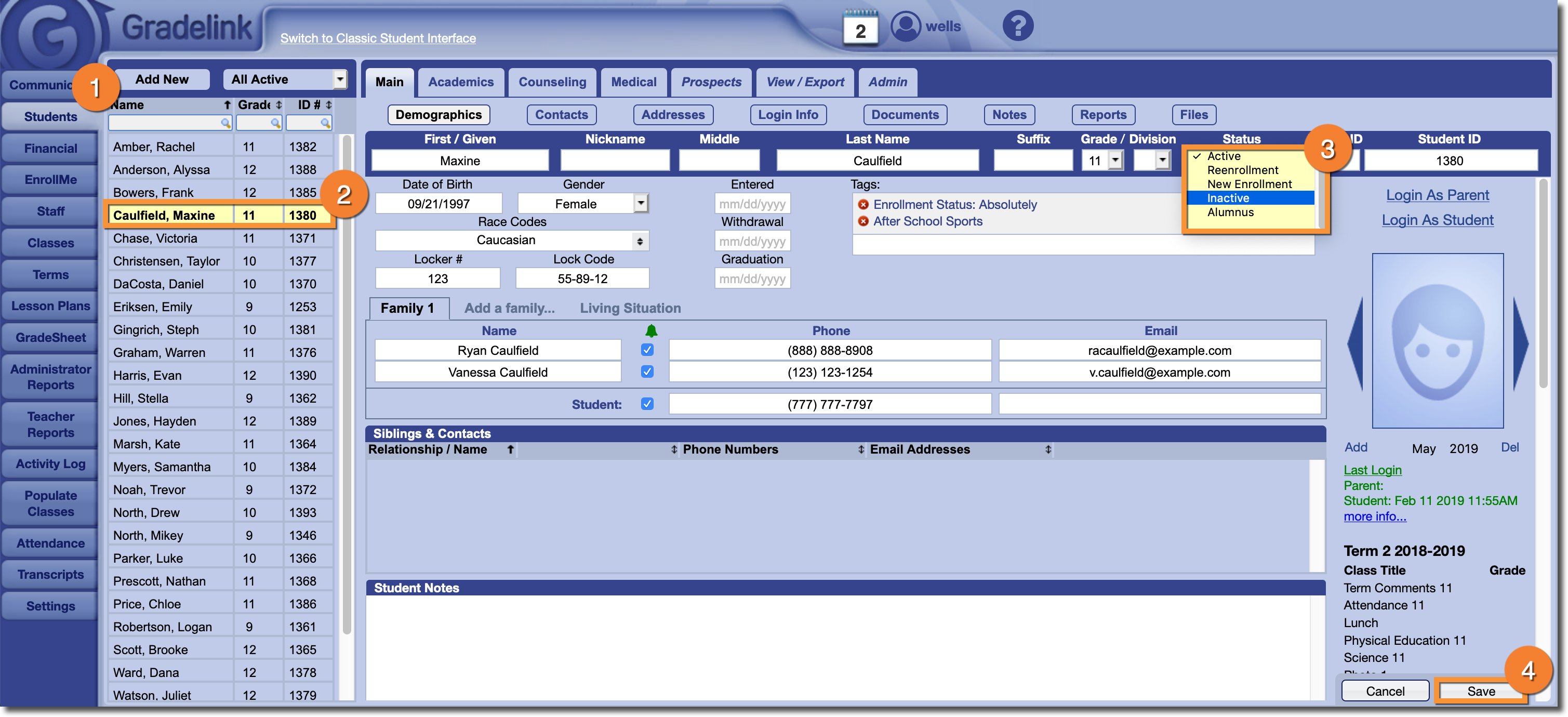
- Click the Students tab
- Select a Student from the list on the left
- Set their “Status” to Inactive or Alumni
- Click Save
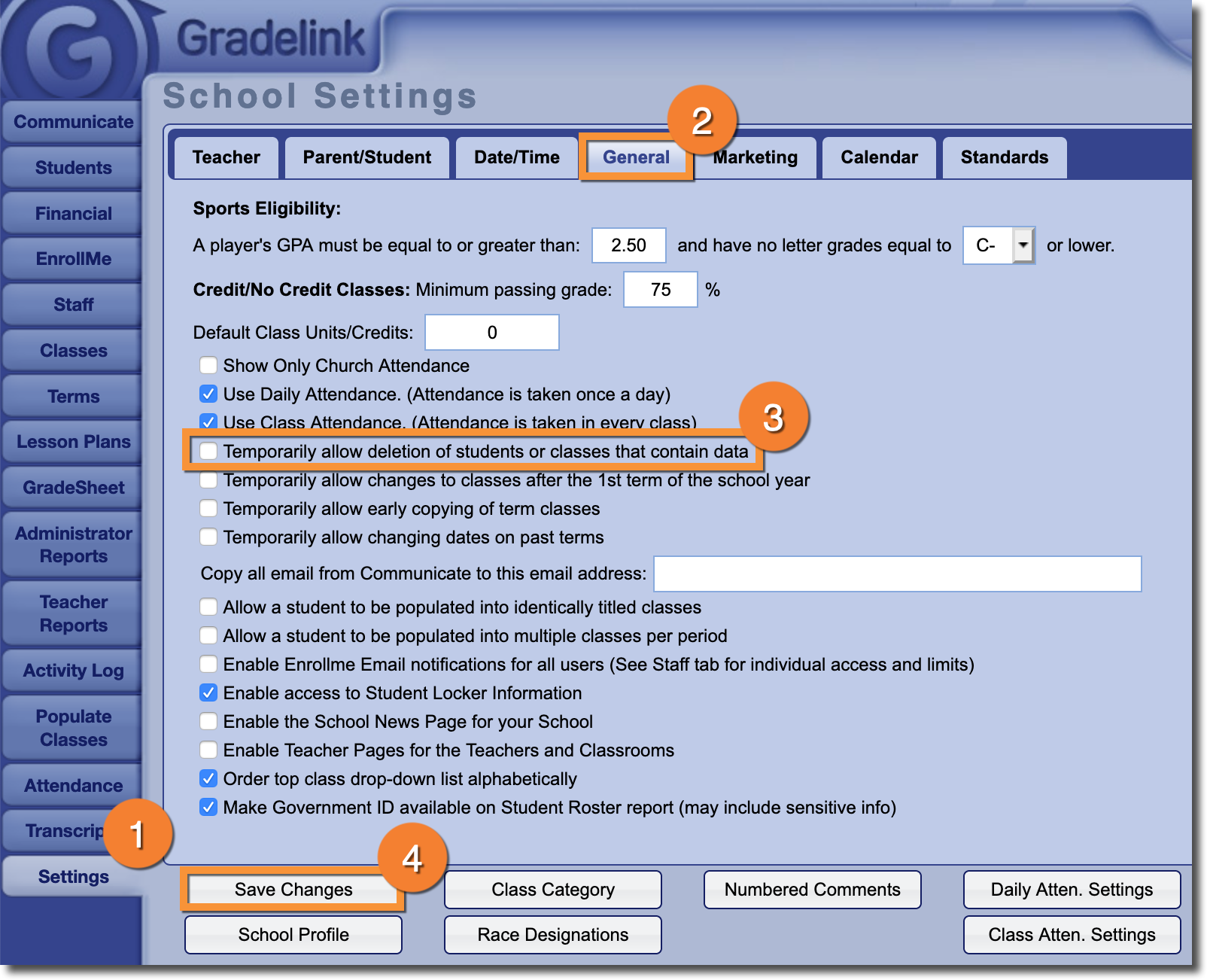
- Click on the Settings tab
- Click on the "General" sub-tab
- Check the box next to “Temporarily allow deletion of students or classes that contain data”
- Click "Save Changes"
 Delete
-
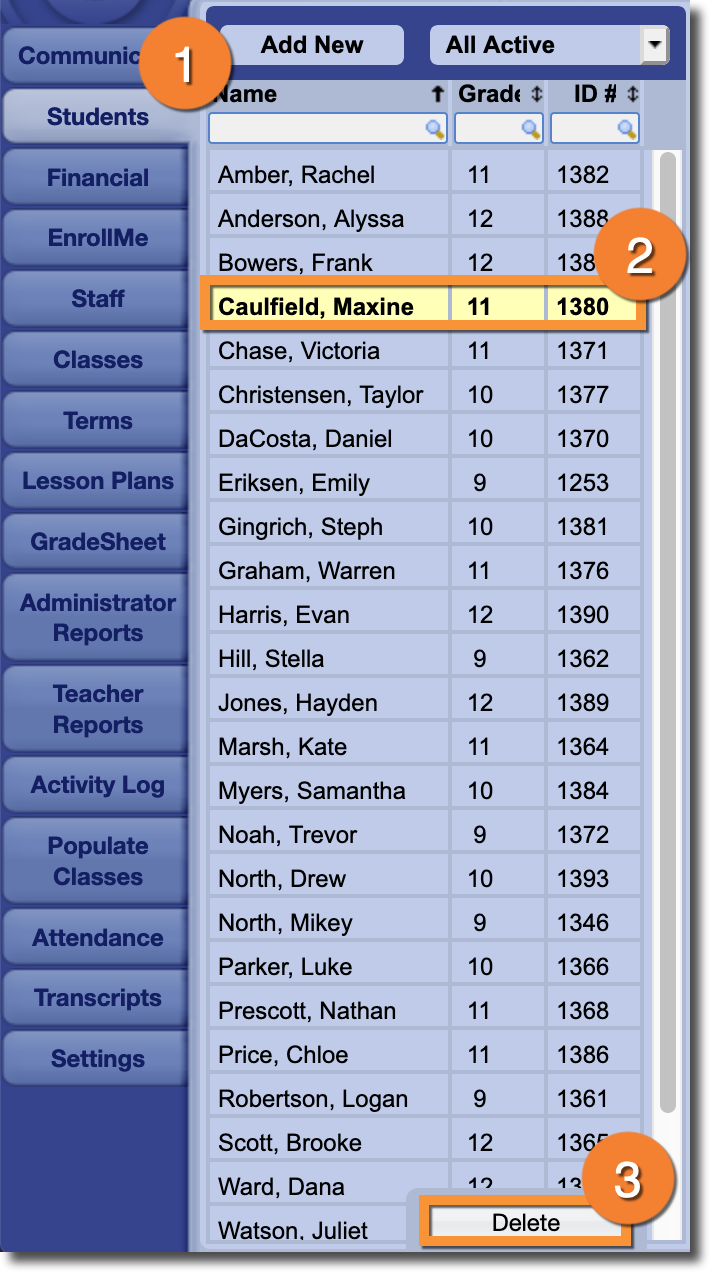
Click to the Students tab.
- Select the student you would like to delete from the list on the left.
-
Click Delete near the bottom of the page.