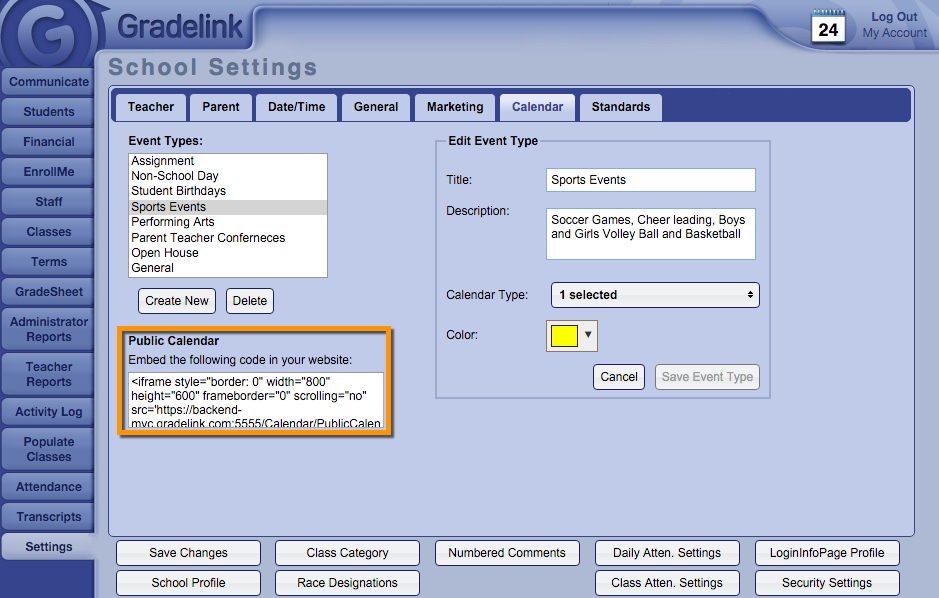
Embedding the Public Calendar on a Webpage Embedding the Public Calendar on a Webpage You can embed your Gradelink calendar onto your website. Only events on the "Public Calendar" will show. Navigate to the Settings tab. Click on the Calendar sub tab. Copy and paste the text into the HTML of your webpage.