Enable Teacher Access to Discipline
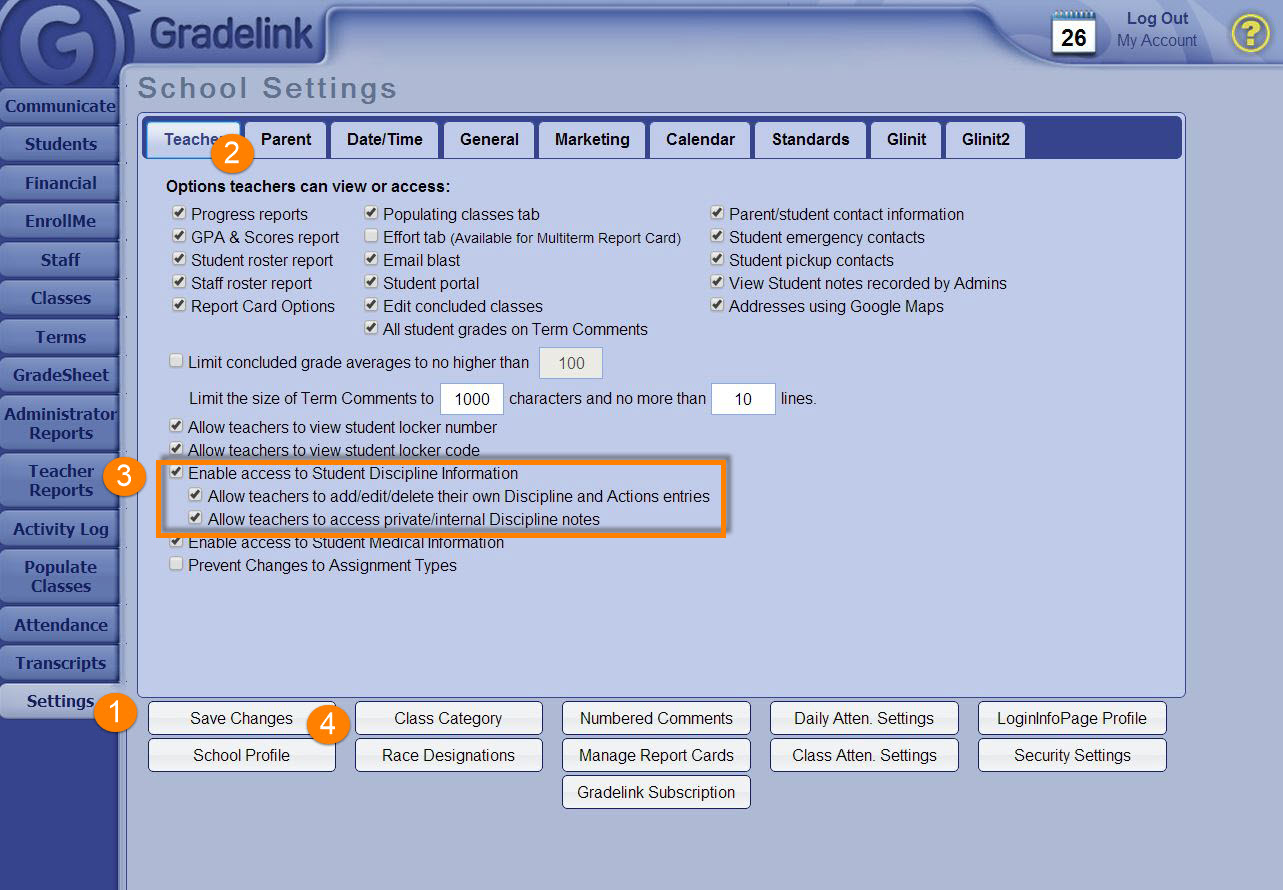
Gradelink gives Administrators the ability to allow teachers to access school discipline records for any student they teach. Additionally, Administrators can allow teachers to add, edit, and delete discipline entries and access internal notes recorded by other staff members.
To enable these settings:
- Go to the Settings tab
- Click on the Teacher sub-tab
- Check the box labeled Enabled access to Student Discipline Information
- Optional: Check the boxes for additional options that appear below
- Click Save changes