
Enabling/Disabling Attendance
Scenario:
1. How do we start using attendance?
Solution:
Gradelink features two major types of attendance:
- School Attendance (also called "Daily Attendance")
- Class Attendance
Both types of attendance can be enabled or disabled from the General section of the Settings tab.
- Go to the Settings tab
- Click on the General sub-tab
- Check the box(es) next to the types of attendance you would like to use
- Click Save Changes
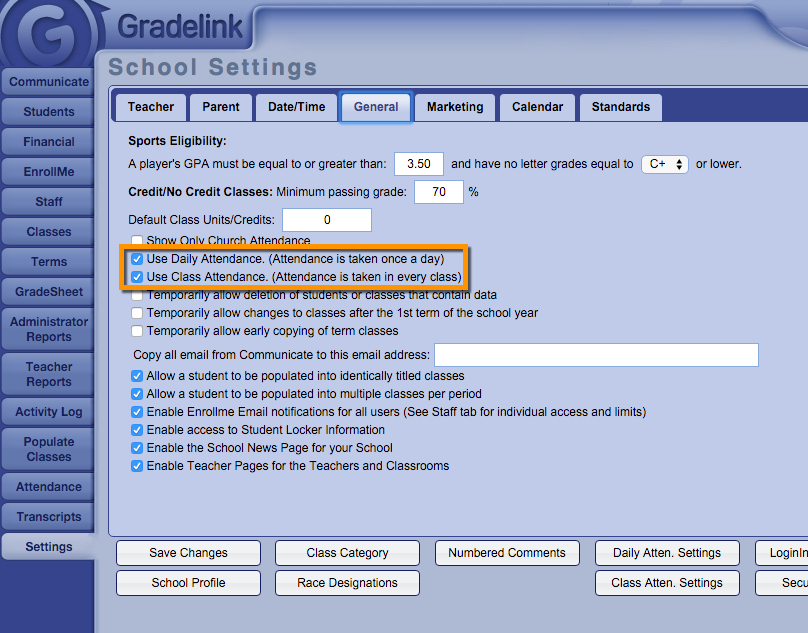
Note: It is possible to have both School Attendance and Class Attendance active (or inactive) at the same time.