EnrollMe Email Notifications for Staff
Any time a status changes for an application, staff members can also receive a copy of the same notifications that the parents receive.
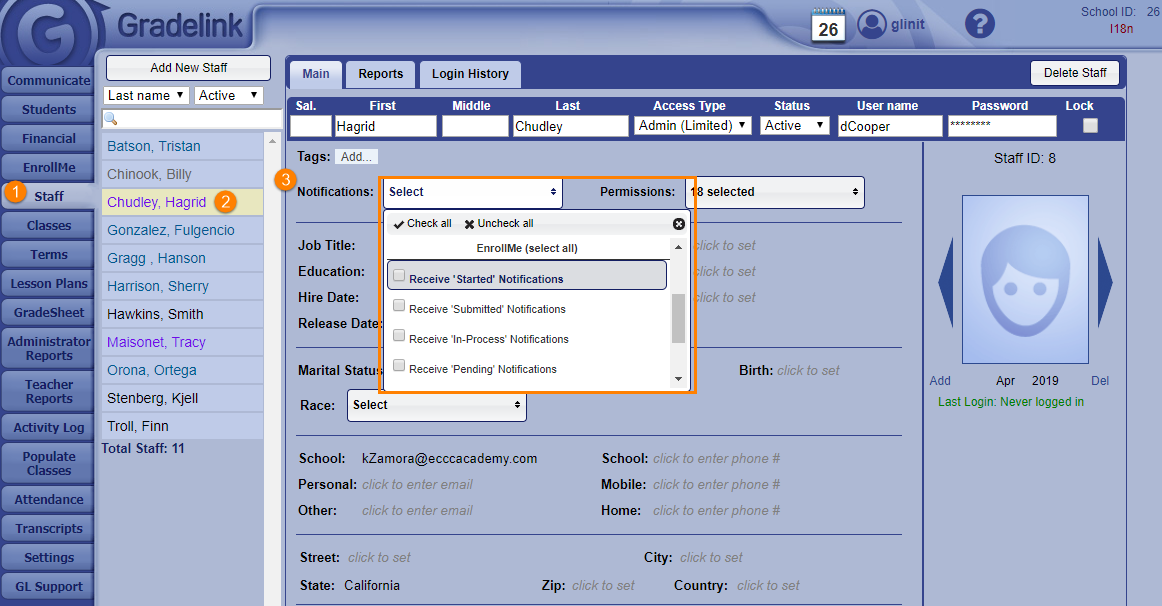
Click the Staff tab on the left sidebar.
Select an Admin or Limited Admin profile from the list of staff on the left-hand side of the page.
On the Notifications: drop-down menu, select which status notifications you'd like a particular staff member to receive by clicking the EnrollMe (select all) text or selecting individual notifications checkboxes.