
Graduation Requirements on the Transcript
Possible Scenario:
1. Can I include graduation requirements on the Transcript?
Solution:
Gradelink allows administrators to include Graduation Requirements on student transcripts.
First, make sure that you have already configured Graduation Requirements in the Classes tab. For more information, please click here .
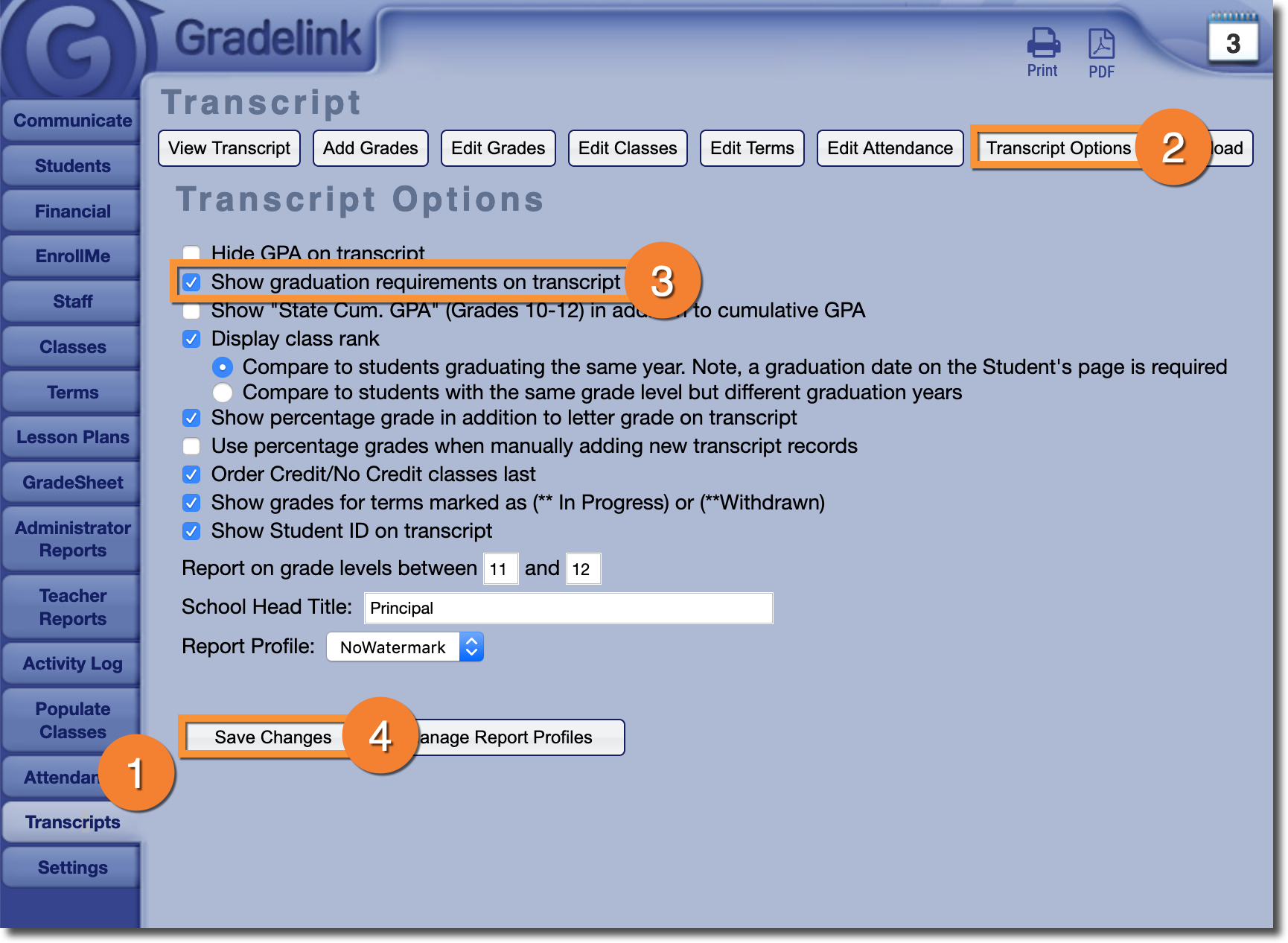
Then, all you need to do is activate the appropriate setting:
- Go to the Transcripts tab
- Click Transcript Options at the top of the page
- Check the box labeled Show graduation requirements on transcript
- Click Save Changes
Note: Graduation Requirements will appear on the transcript in the exact same order they appear in on the Classes tab. If you would like your graduation requirements to appear in a specific order, you will need to adjust them there.