How do I deactivate a Staff account?
If you are replacing a teacher, we recommend first adding any new teacher accounts and then reassigning the classes to the replacement teacher from the "Classes" tab.
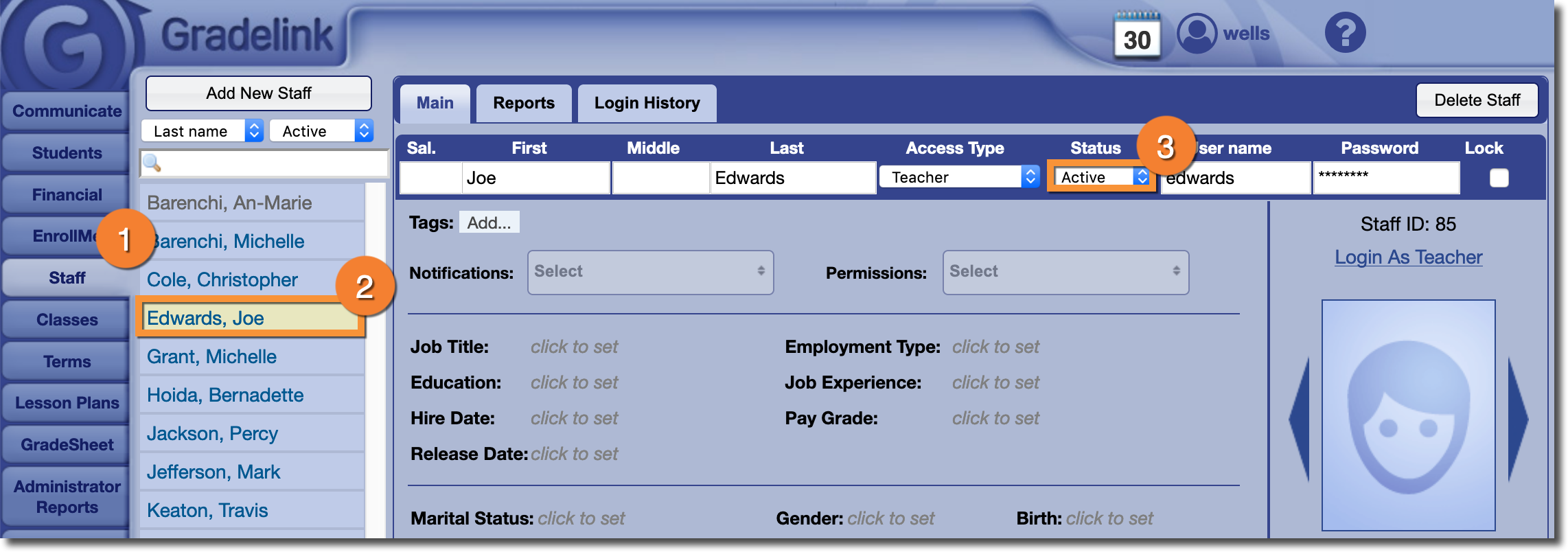
- Go to the "Staff" tab
- Click on the staff member's name
- Change the "Status" to "Inactive"