
How do I lock out all parents and students?
Scenario:
1. How do I lock out all parents and students?
Solution:
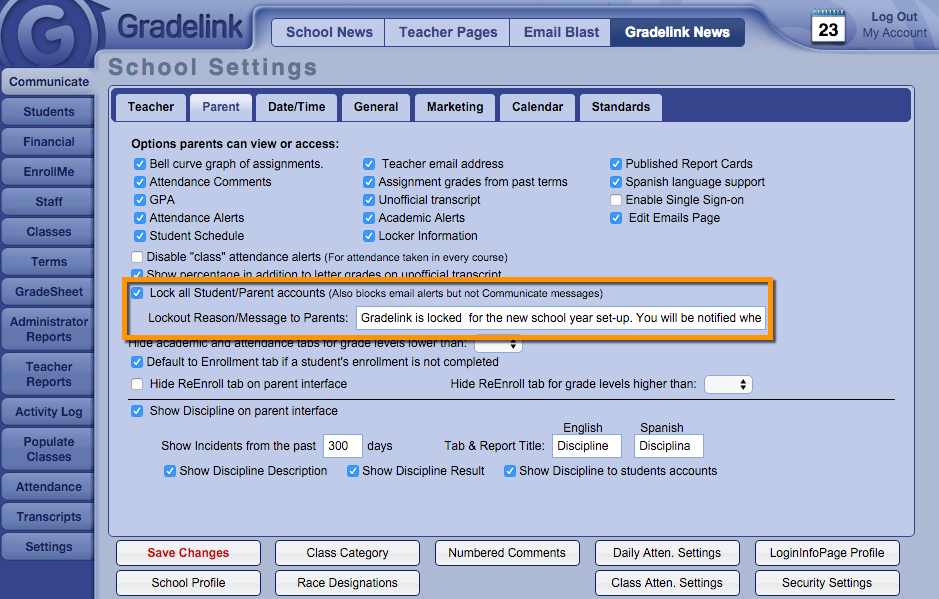
Many schools choose to lock student and parent accounts while report cards are being created or over the summer. This option locks all student and parent accounts, although it won't prevent them from receiving messages from the school via the Communicate tab.
To lock all student and parent accounts:
- Go to the Settings tab
- Click on the Parent/Student sub tab.
- Check the check box labeled "Lock all Student/Parent accounts"
- Optional: Record a message that will be displayed when users try to login
- Click Save Changes
Note: If an individual's account was already locked prior to activating this setting, their account will still be locked even if you disable this setting.