
How to Configure Parent Email Alerts
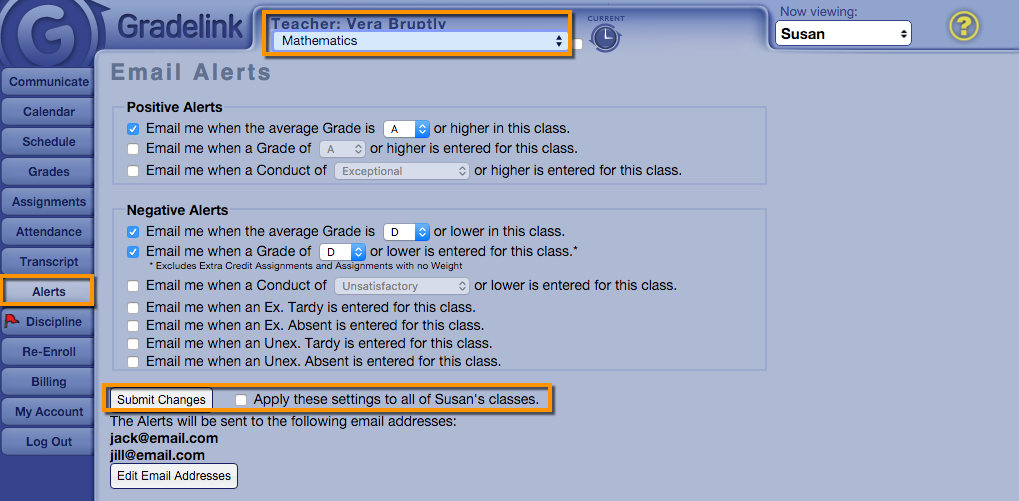
- When logged in as a parent, click on the Alerts tab.
- Make sure the correct class is selected at the top.
- Apply the various alerts you would like to receive.
- If you would like the settings to apply to all classes, click the "Apply these settings to all of 'Student' classes."
- Click Submit Changes.