
How to enable Effort/Class Category
To enable Effort/Class Category, please follow the steps below:

1. Click the Settings tab
2. Click the Class Category button.
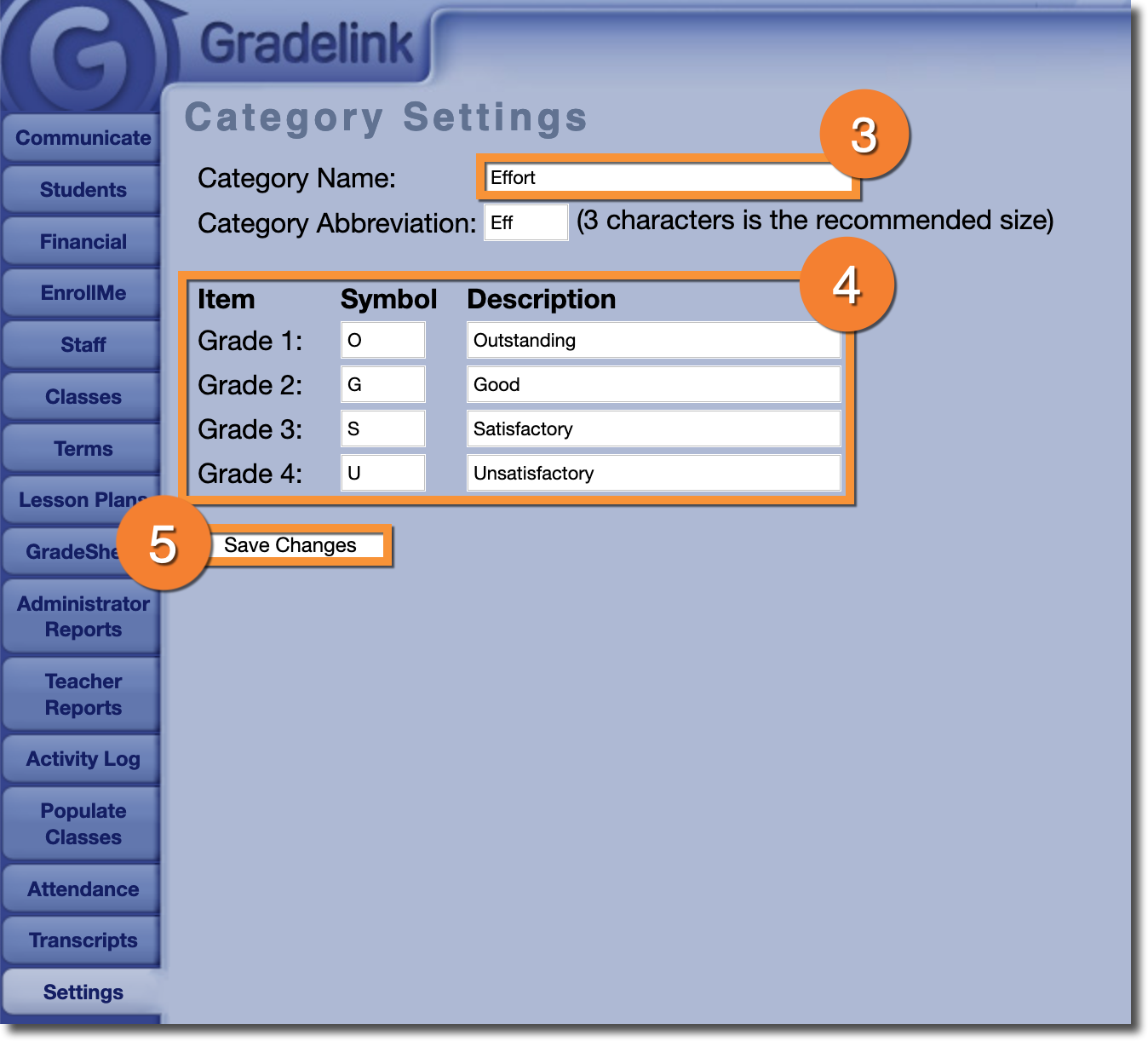
3. Enter a name for the category. If you don't enter a name, the tab will not show up in the Teacher interface.
4. Enter Grades, Symbols, and brief Descriptions. You are not required to use all four grades, but you cannot use more than four.
5. Click Save Changes.