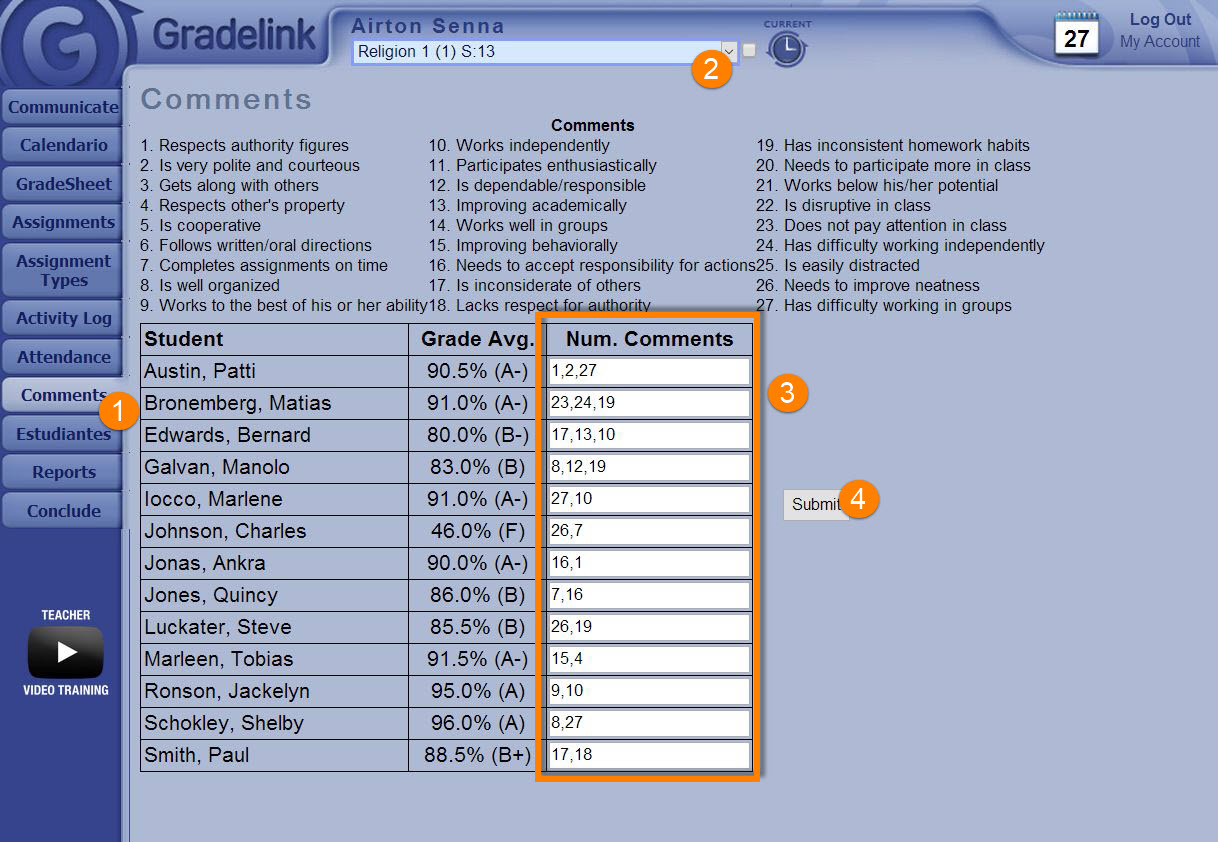
How to enter Numbered Comments
To enter comments, teachers simply need to:
- Login and go to the "Comments" tab.
- Select the Class from the drop down at the top.
- Using the legend at the top of the page, enter comments for each student separated by a comma and a space (ex. "1, 3, 12, 15").
- Click "Submit".