Incomplete Assignments Report
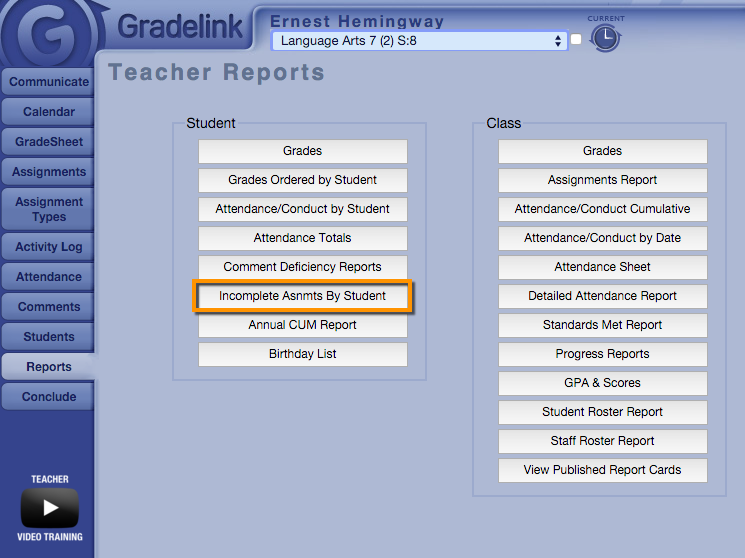
1. As a Teacher, click the Reports button on the left sidebar, and navigate to the “Incomplete Asnmts by Student” button.
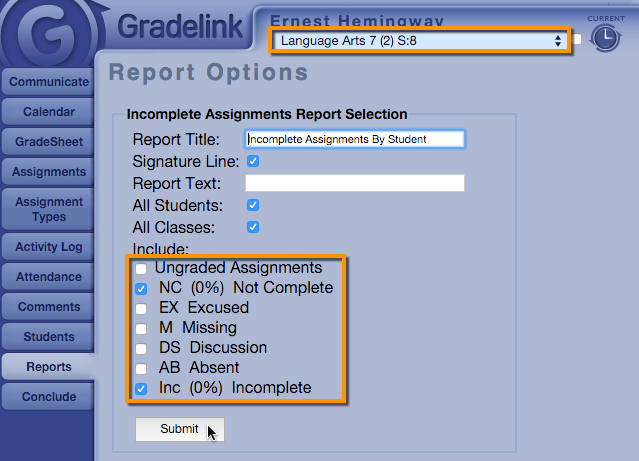
2. You can determine the Report Title and Report Text, as well as choose which Students, Classes, and Grade Codes to include on the report.
3. Click Submit to generate your report.