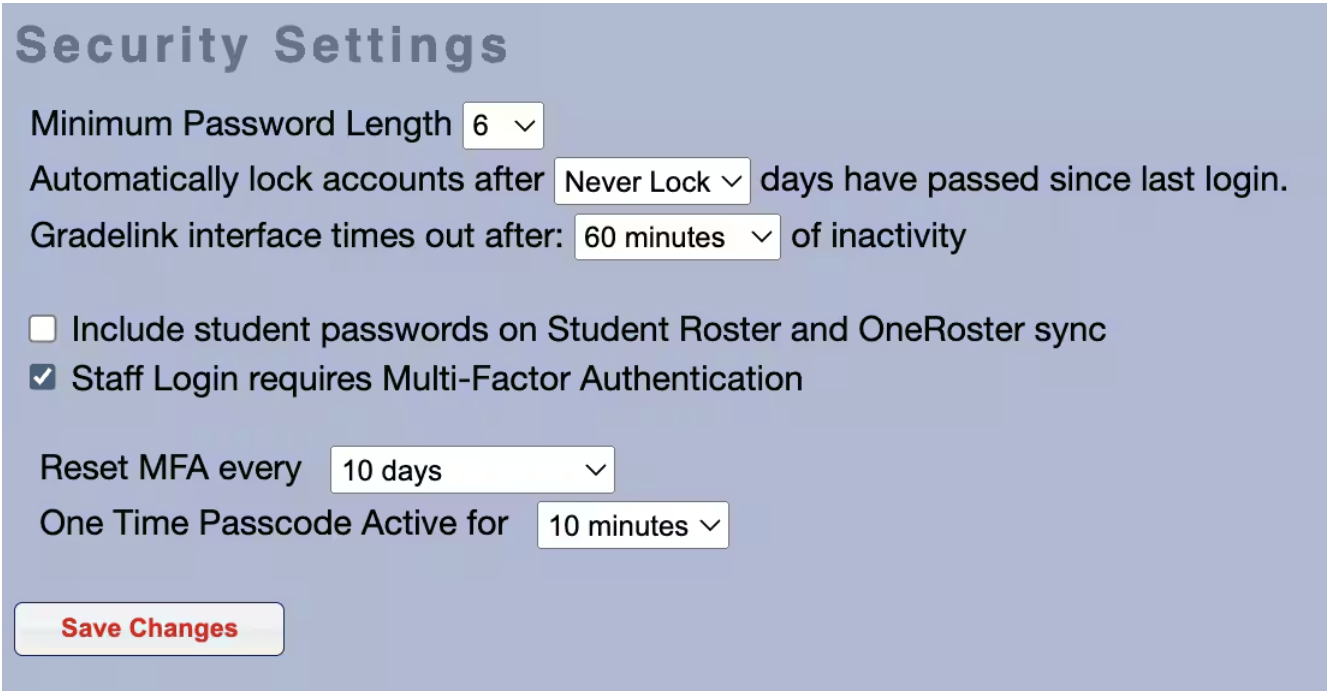
Multi-Factor Authentication
Scenario:
1. How do I securely login?
2. How do I protect my account?
Multi-Factor Authorization (MFA) is an account security enhancement to Gradelink that, when active, requires Users to input a unique code sent to the email address associated with their Gradelink account prior to logging into Gradelink. When the feature is enabled, Users will not be able to login with only their School ID, Username, and Password. By linking a Gradelink User's Gradelink account to an email address the User has access to, Users will feel more secure in the knowledge that it would be extremely difficult for someone to access their Gradelink account unauthorized.
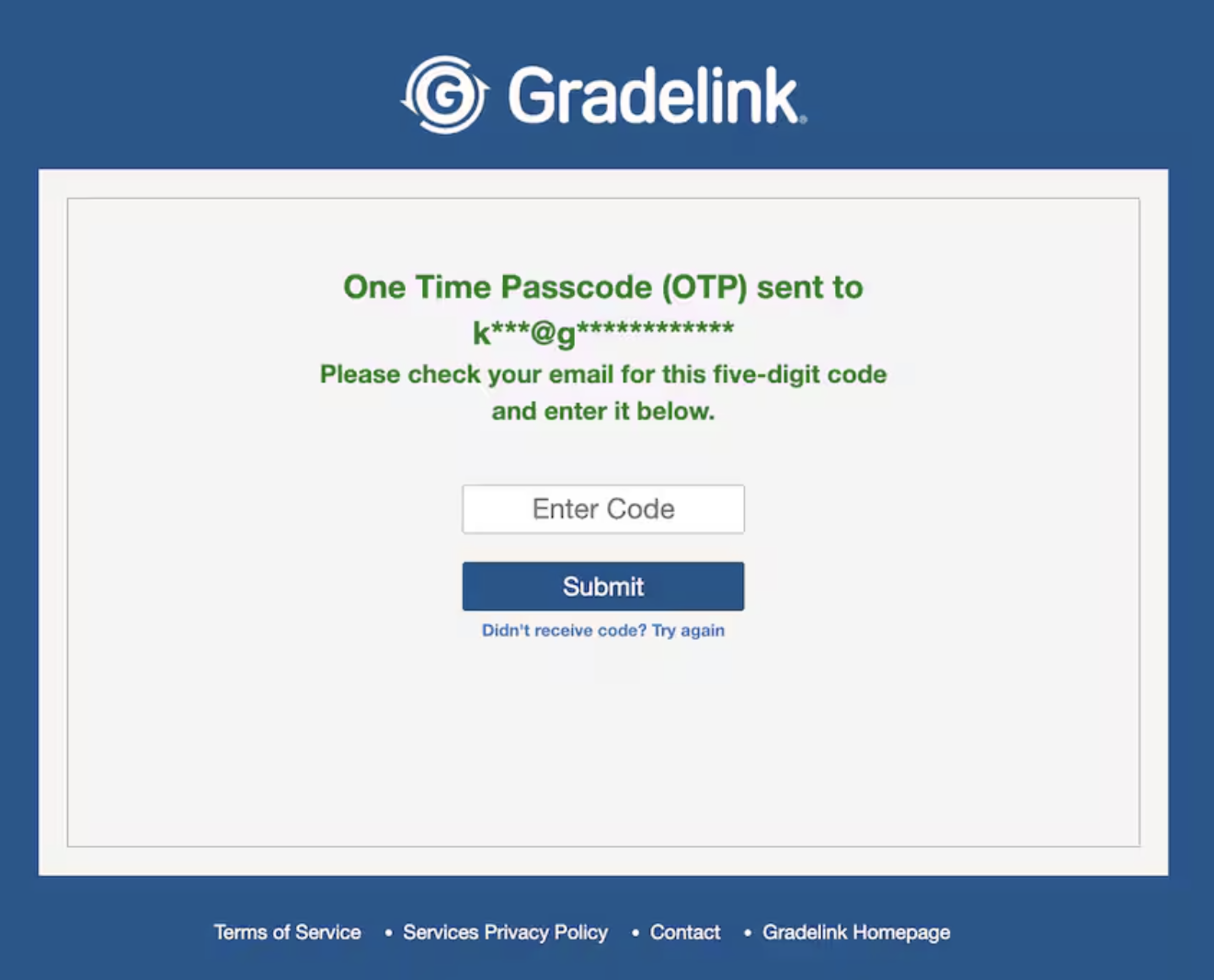
On the Login page, after a User enters valid User credentials (School ID, Username, Password; all three must be present) and clicks "Log In", they should be taken to the MFA page. The User should still be taken to the MFA page even if they use Google Single Sign-On instead of manually entering their credentials.
On the MFA page, if the User has an email address associated with their account and corresponding MFA Setting is enabled, a display text will indicate to which email the User's token has been sent. The email address will be "masked" by replacing all but the first characters before and after the @ symbol with asterisks.
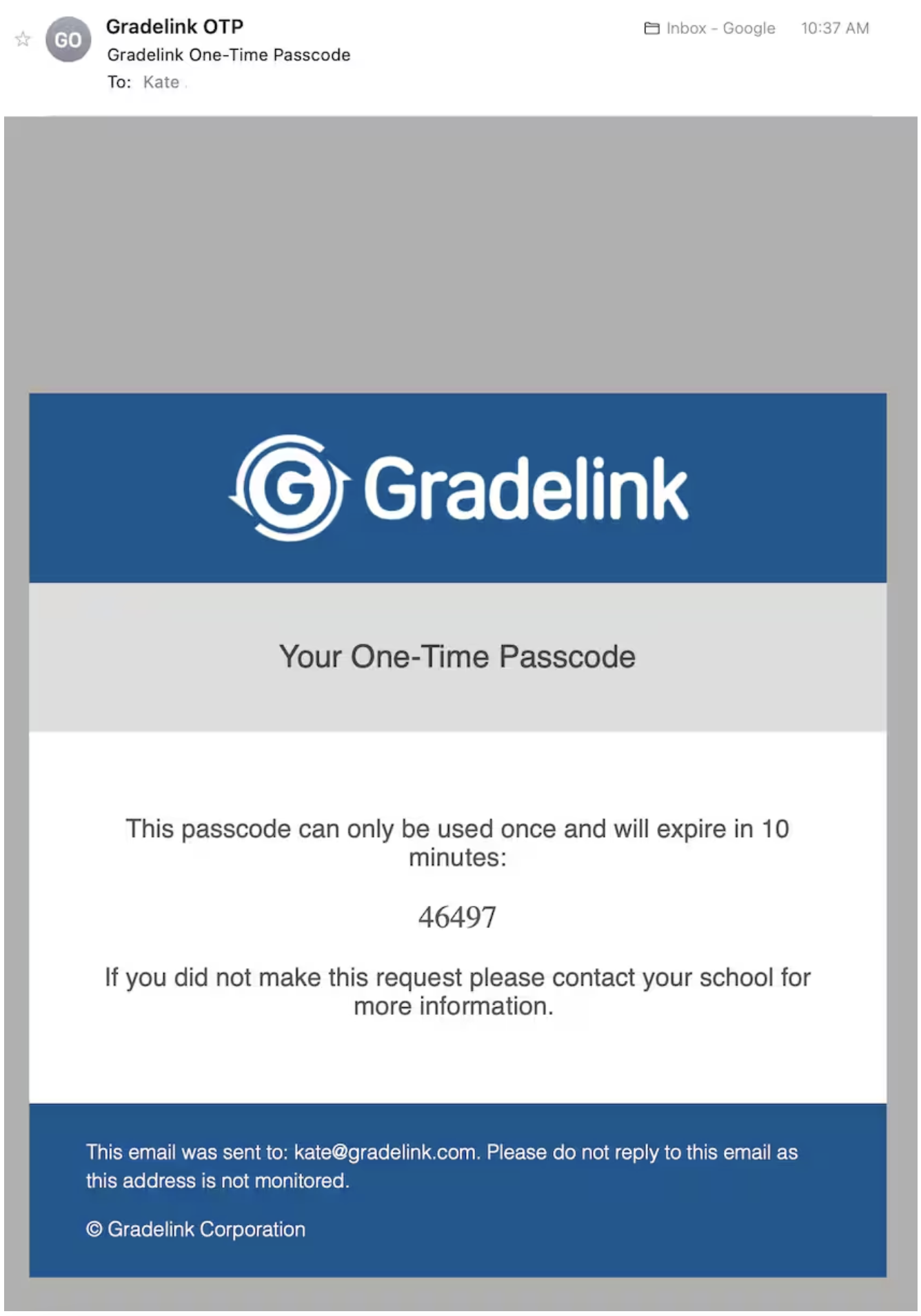
- The "Sender" name should be "Gradelink OTP"
- The "Sender" email should be "OTP@gradelink.com"
- The Subject Line should be "Gradelink One-Time Passcode"
- The "Passcode Expiration" value should be dynamic and reflect the corresponding value in the Security Settings page (see below)
Back on the MFA page, if the User enters an incorrect or expired Passcode, they will be prompted to try again. The will see different error messages depending on what they enter into the Passcode field: